14
Chapter 6: Alarms
There are two versatile wake-up alarms with snooze
facility and a sleep function to turn the system off after a
set period.
6.1 Setting Alarm Snooze
The default snooze duration time is 1minutes. To change select Screen Menu > Settings
> Miscellaneous settings > Alarm snooze > then select from 1-30minutes.
6.2 Setting Alarms
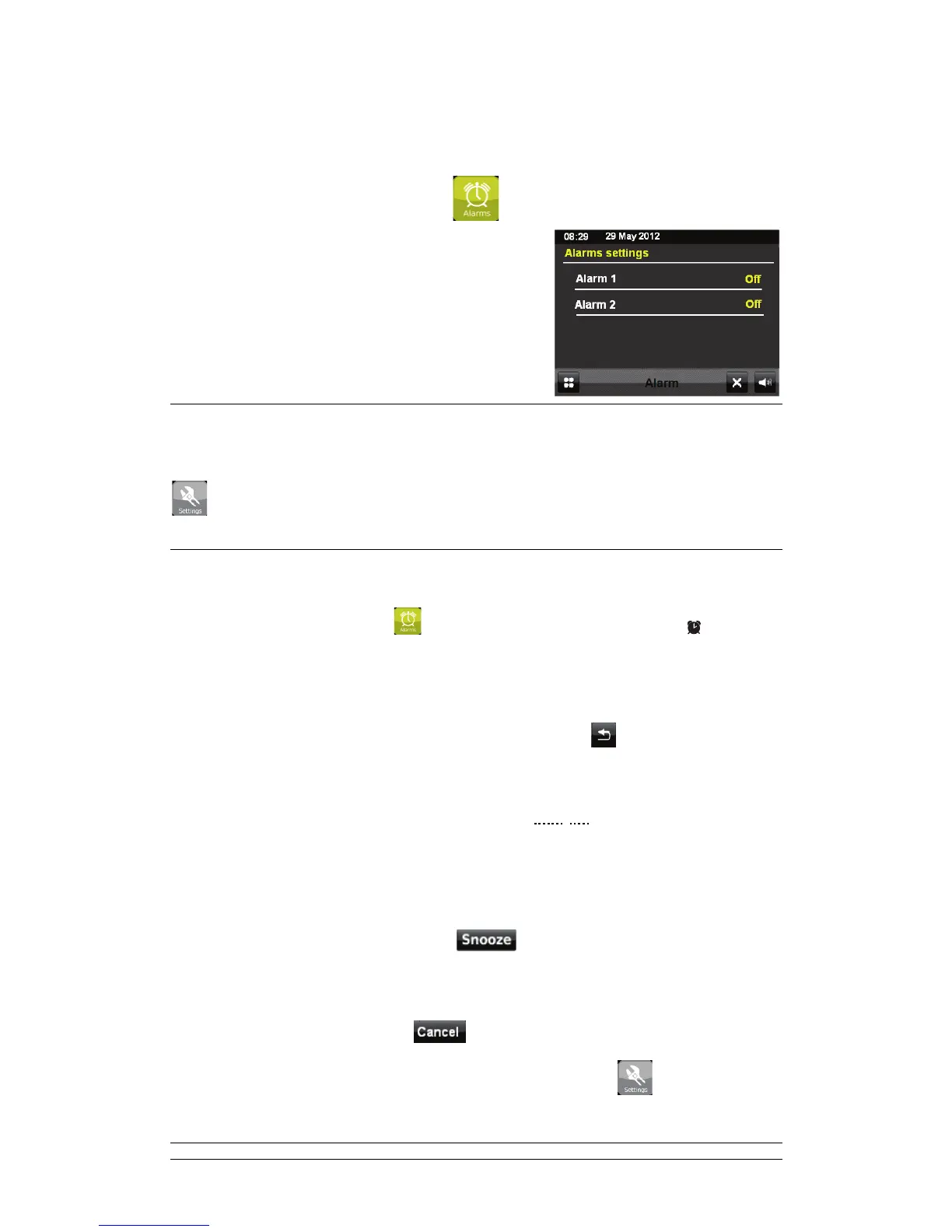
To set or change an alarm, touch from the Screen Menu or simply press on remote
control.
Select the alarm number (1 or 2) and then configure the following parameters:
; Enable: OFF/Daily/Once/Weekend/Weekday
; Time: 00:00, after getting the alarm sound time right, touch
to move back.
; Mode: DAB, FM, and Buzzer.
; My Favourite: Last listened and preset station 1-10
Note that this option is subject to you have chose DAB, FM or alarm as sound source.
; Volume: 1 – 16
The alarm will sound when the selected set time is reached. While the alarm sounds the
screen will show an icon at the top left of the screen.
a. To activate the snooze function, touch
(or press SNOOZE/SLEEP on the
remote control). The radio returns to standby for the set period with the silenced alarm icon
flashing and countdown snooze time displayed.
b. To temporarily cancel it, touch
and the alarm icon will be still on.
c. To disable this alarm setting, select screen Menu > Settings
> purpose
alarm > Enable: Off.



 To Next Page