Contacting your administrator (Technical support)
If necessary you may need to contact your administrator.
Before contacting your administrator, make sure you have information such as your phone's codes and
software version to hand.
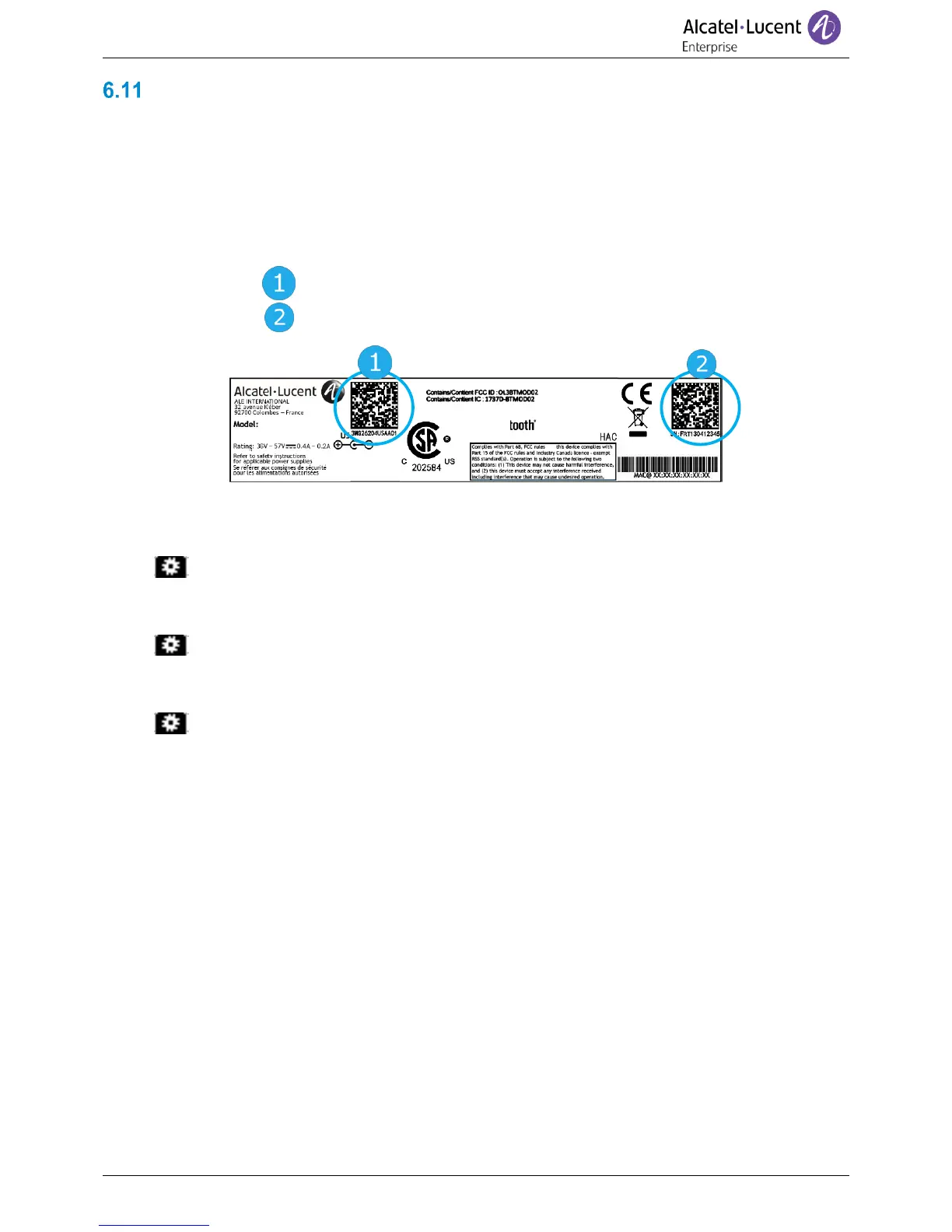
6.11.1 Date code (left) / Technical code (right)
The codes are located under the backshell of the phone. This label is an example and does not
represent the one placed on your phone.
6.11.2 Software version
The software version can be viewed on the phone by following this path:
• Using the left-right navigator keys, select the settings menu.
• Press the key associated with: Version
6.11.3 Display network settings
• Using the left-right navigator keys, select the settings menu.
• Press the key associated with: Network
6.11.4 Reboot your phone
• Using the left-right navigator keys, select the settings menu.
• Press the key associated with: Reboot










 To Next Page