Diagnosis
Detailed ADC controllers:
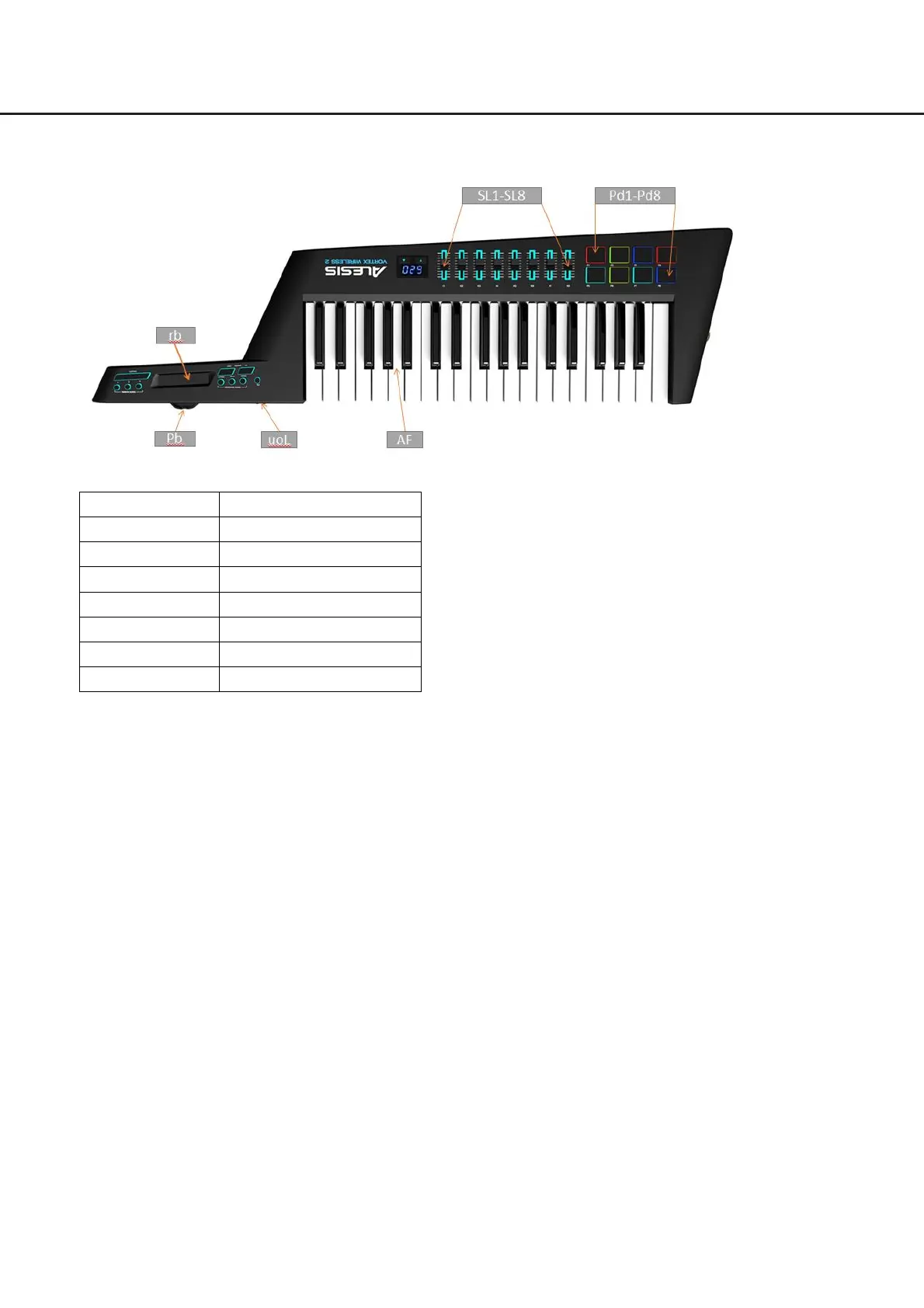
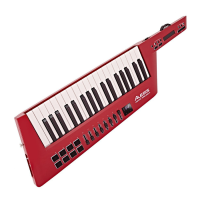
Pitch bend: Push the wheel all the way to the right, the display will show “127”, then release the wheel,
the display shows “064”. Push the wheel all the way to the left, and when the value reaches 0, it will
switch to the next controller “rb”.
Ribbon: Slide all the way to the right, the display will show “127”, then release your hand, the value will
reach 0 and it will switch to the next controller “uoL”.
Volume slider: Slide it all the way to the right, the display will show “127”, then slide it all the way to the
left, the value will reach 0 and it will switch to the next controller “SL1”.
Slider 1 - Slider 8: Push a slider all the way up, the display will show “127”, then push the slider all the
way down, the value will reach 0 and it will switch to the next slider. When you finish testing all 8 sliders,
it will then switch to the next controller “Pd1”.
Pad 1- Pad 8: Tap a pad hard until the value reaches “127”, release your hand, the value will reach 0
and the related LED will light up, the display will then show the next pad name. When you finish testing
all 8 pads, it will then switch to the next controller “AF”.
33


 To Next Page