
 Need help?
Do you have a question about the Algodue ELETTRONICA UPM307 and is the answer not in the manual?
Defines the manual's intent for qualified technicians and safety precautions.
Explains symbols indicating high voltage, serious damage, or minor damage risks.
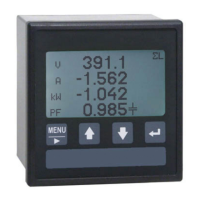
Describes the UPM307's capabilities, display, and standard configuration.
Instruction to check the instrument for damage upon unboxing.
Specifies environmental conditions for instrument installation.
Details the physical mounting procedure, including hole dimensions and accessory use.
Critical warnings regarding high voltage and the need for skilled personnel.
Essential safety checks before making any electrical connections.
Crucial warning to ensure the main switch is OFF before connecting.
Details RS232 and RS485 serial interfaces for PC connectivity.
Describes the LONBUS port connection, service pin, and diagnosis LED.
Covers cable requirements, termination, and connector pinouts.
Explains the signals used on the PROFIBUS interface.
Details setting the network address using rotary switches.
Warning about potential issues in multi-master PROFIBUS systems.
Explains LED indicators, port pinout, and their meanings.
Lists default IP address, subnet mask, gateway, and serial settings.
Critical safety warning to disconnect power before handling digital outputs.
Provides guidelines for connecting digital outputs and notes on overload protection.
Illustrates wiring for PNP and NPN digital output configurations.
Illustrates connections for various 3-phase configurations with CTs.
Specific instruction for connecting Rogowski coils.
Wiring diagram for 3-phase, 3-wire, 1 CT setup.
Wiring diagram for 3-phase, 2-wire, 1 CT setup.
Wiring diagram for single-phase setup.
Details input voltage and current parameters, impedance, and burden.
Lists available power supply versions and recommended fuse installation.
Warning to check network voltage correspondence before connecting the instrument.
Explains the front LCD display and pushbutton functions.
Details the power-on sequence, info display, and wiring mode check.
Crucial note to verify connections match the programmed wiring mode.
Overview of main menu sections: Instantaneous, Setup, Info, etc.
Lists main configuration sections: Main, Communication, Digital OUT, Utility Setup.
Available choices for exiting setup pages and saving changes.
Sets the primary to secondary ratios for voltage and current transformers.
Warning about changing CT value for Rogowski inputs to avoid incorrect current readings.
Selects current input range and available wiring configurations.
Emphasizes checking wiring diagram correspondence with the actual wiring.
Sets demand integration time and communication protocol.
Configures communication speed, data format, and address for serial ports.
Sets output mode (PULSE, HIGH, LOW) and associated parameters like delay and hysteresis.
Explains how to calculate pulse values for energy measurements.
Adjusts the LCD contrast level.
Options to clear energy counters and DMD/Peak values.
Configures backlight timeout and display language.
Detailed steps and choices for clearing energy counters.
Detailed steps and choices for clearing DMD & Peak values.
Step-by-step guide for using pushbuttons to set or modify setup values.
Visual representation of the instrument's menu structure and navigation flow.
Troubleshooting steps for negative phase signs and incorrect PF values.
Troubleshooting steps for inconsistent power readings.
Guidelines for cleaning the display and keyboard using appropriate materials.
Details power supply voltage, current, and voltage input parameters.
Lists specifications for communication ports, digital outputs, and environmental conditions.
Lists all instantaneous electrical parameters measured by the instrument.
Lists stored energy and peak value data categories.
 General
| Brand | Algodue ELETTRONICA |
|---|---|
| Model | UPM307 |
| Category | Measuring Instruments |
| Language | English |

 To Next Page

