62
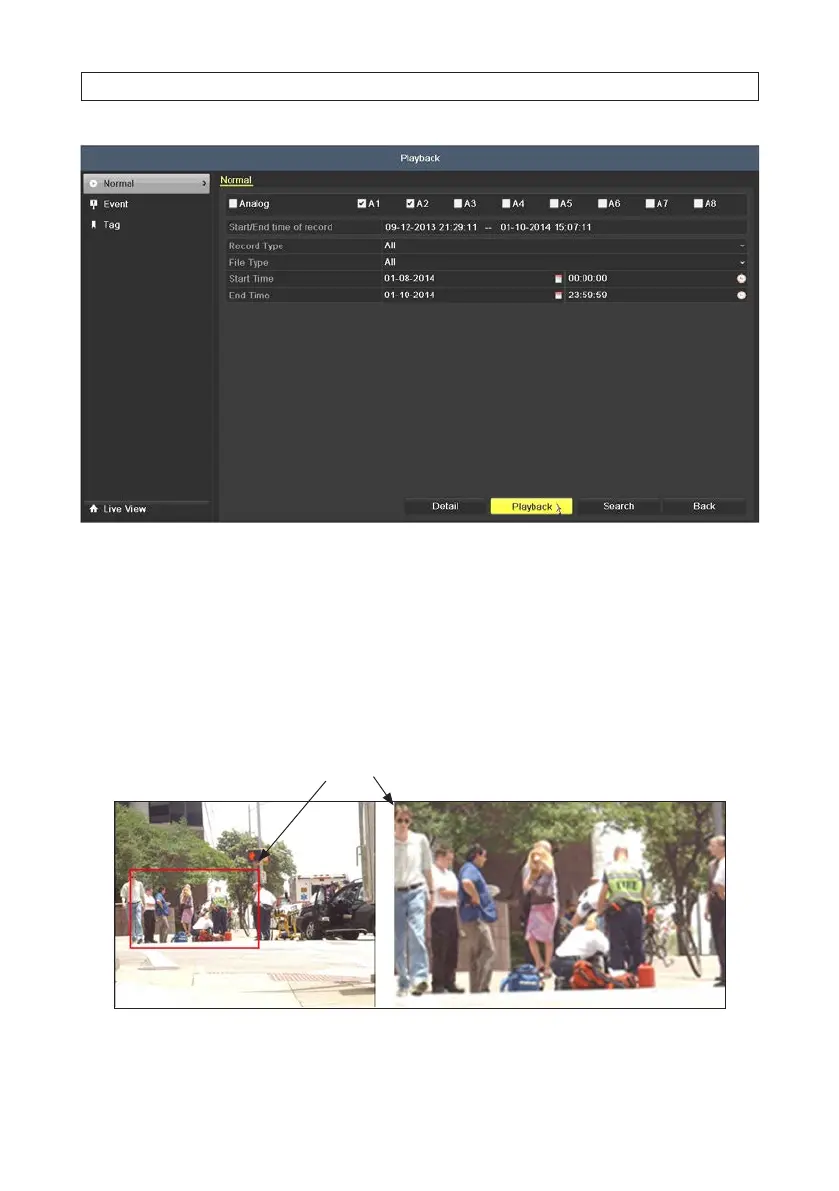
3. Click Playback to play back the record les, then click the reverse control icon to play the les in reverse.
5.2.7 Digital Zoom
1. Click the magnier button on the playback control bar to enter Digital Zoom screen.
2. Use the mouse to draw a rectangle over the area you want to zoom in on. The area can be enlarged up to 16 times the original
size on the screen.
Zoom selection area
3. Right-click on the image to exit the digital zoom mode.
SECTION 5: RECORD, PLAYBACK AND VIDEO BACKUP




 To Next Page