63ALI-DVR3000H Series 960H DVR User Manual
5.3 Backing up Record Files - Export
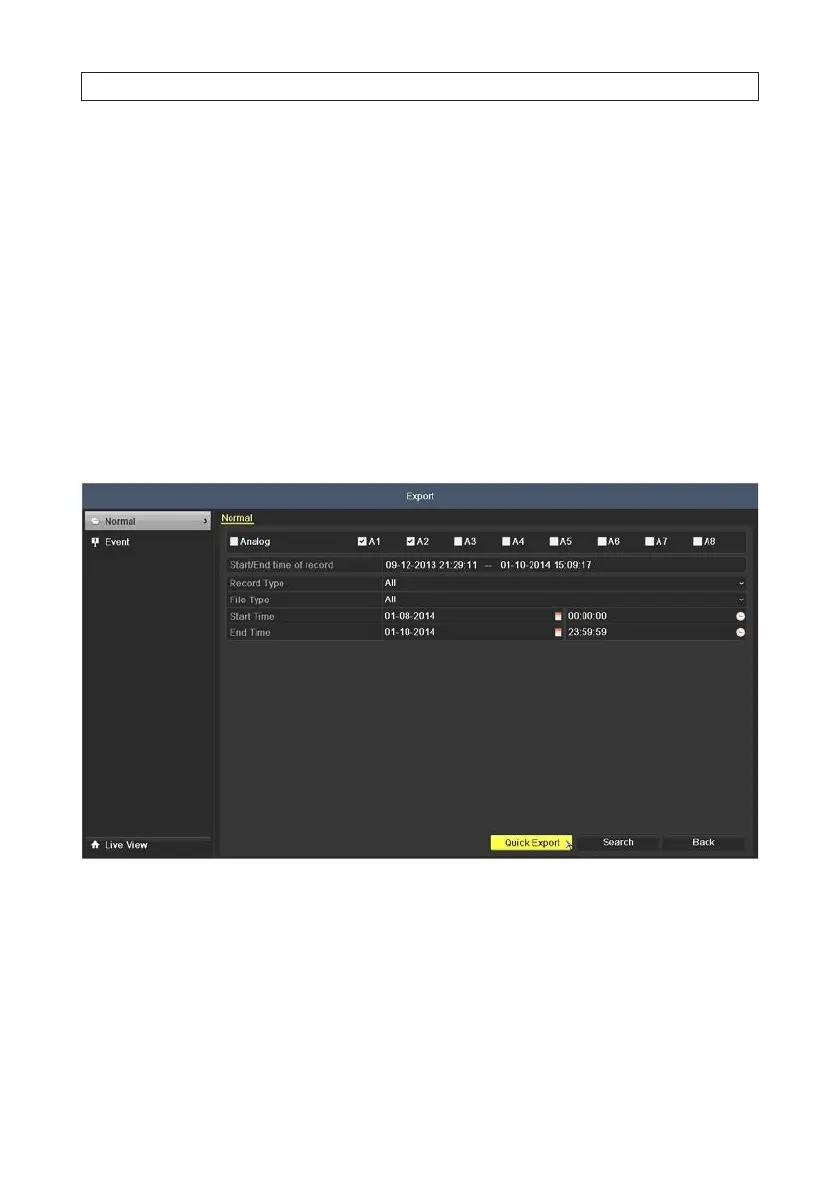
5.3.1 Quick Export
The Quick Export feature allows you to easily export (backup to an external device) video clips recorded over a 24 hours period from
up to four selected camera channels.
1. Attach an USB storage device, such as a USB ash drive or USB disk drive, to the DVR USB port.
2. Open the Export menu. Go to: Menu | Export | Normal .
3. heck the boxes for the camera channels you want to back up.
4. Select the Start Time and End Time of the period when the video clips of interest were recorded. To change the time, click
on the eld, then select the target date or time from the pop-up menu. The time span cannot exceed 24 hours.
5. CClick the Quick Export button. A pop-up window will open showing the le structure of your external storage device. f your
USB device is not shown in the Device Name eld, click the Refresh button.
SECTION 5: RECORD, PLAYBACK AND VIDEO BACKUP











 To Next Page