59ALI-DVR3000H Series 960H DVR User Manual
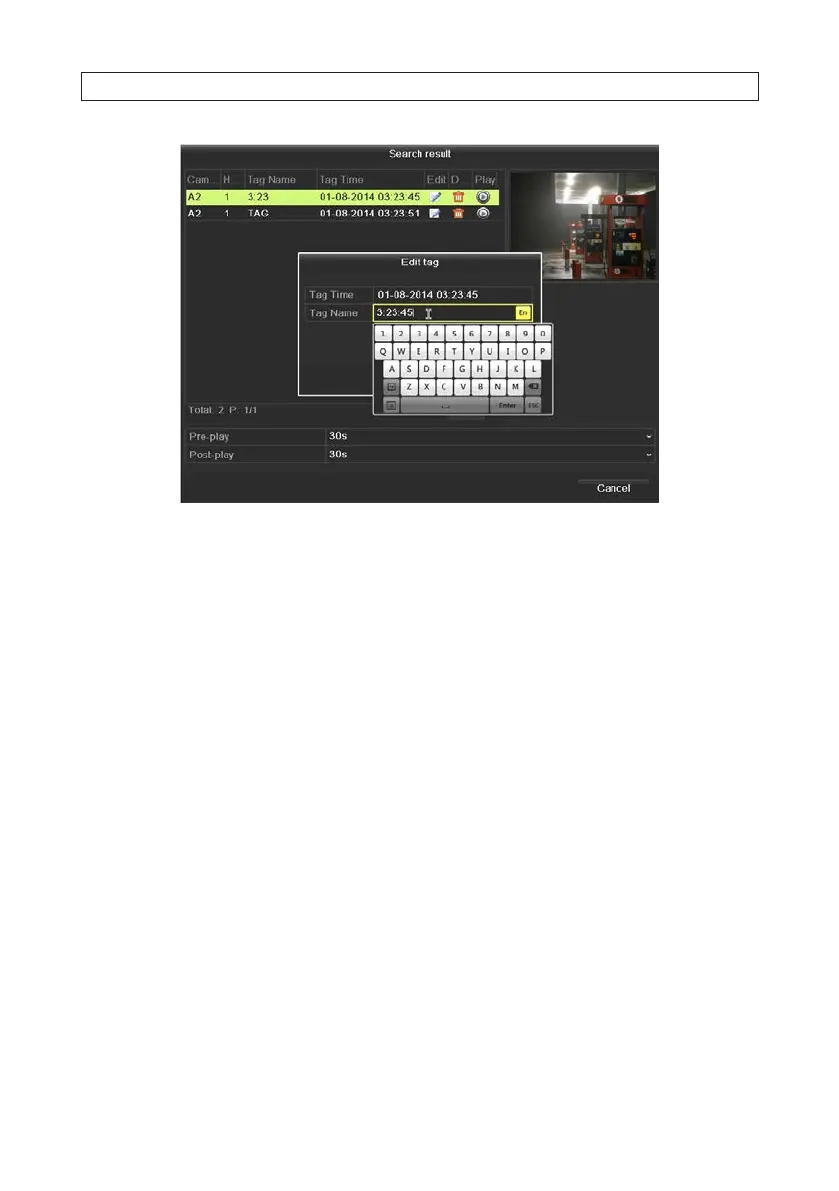
— To change the name of a tag, select (highlight) a tag in the list, then click the icon in the Edit column.
* Click the tag name, use the pop-up keyboard to change the name, click Enter, then click OK.
— To delete a tag, select (highlight) a tag in the list, then click the icon in the Delete column.
5.2.4 Playback from System Logs
You can search for video clips through system logs. System logs include the following types of entries:
• Alarms events - Start/stop motion detection, start/stop tamper detection etc.
• Exception conditions - Video loss, illegal login, HDD full/error, IP camera disconnected, network disconnected, etc.
• Information events - Start/stop recording, local/network HDD information, HDD S.M.A.R.T., etc.
• Operation events - power on, login, local operation logout, etc.
1. Open the Log Information screen. Go to Menu | Maintenance | Log Information
2. Click Log Search tab to enter Playback by System Logs.
3. Select a Start Time, End Time, Major Type and Minor Type.
SECTION 5: RECORD, PLAYBACK AND VIDEO BACKUP











 To Next Page