78
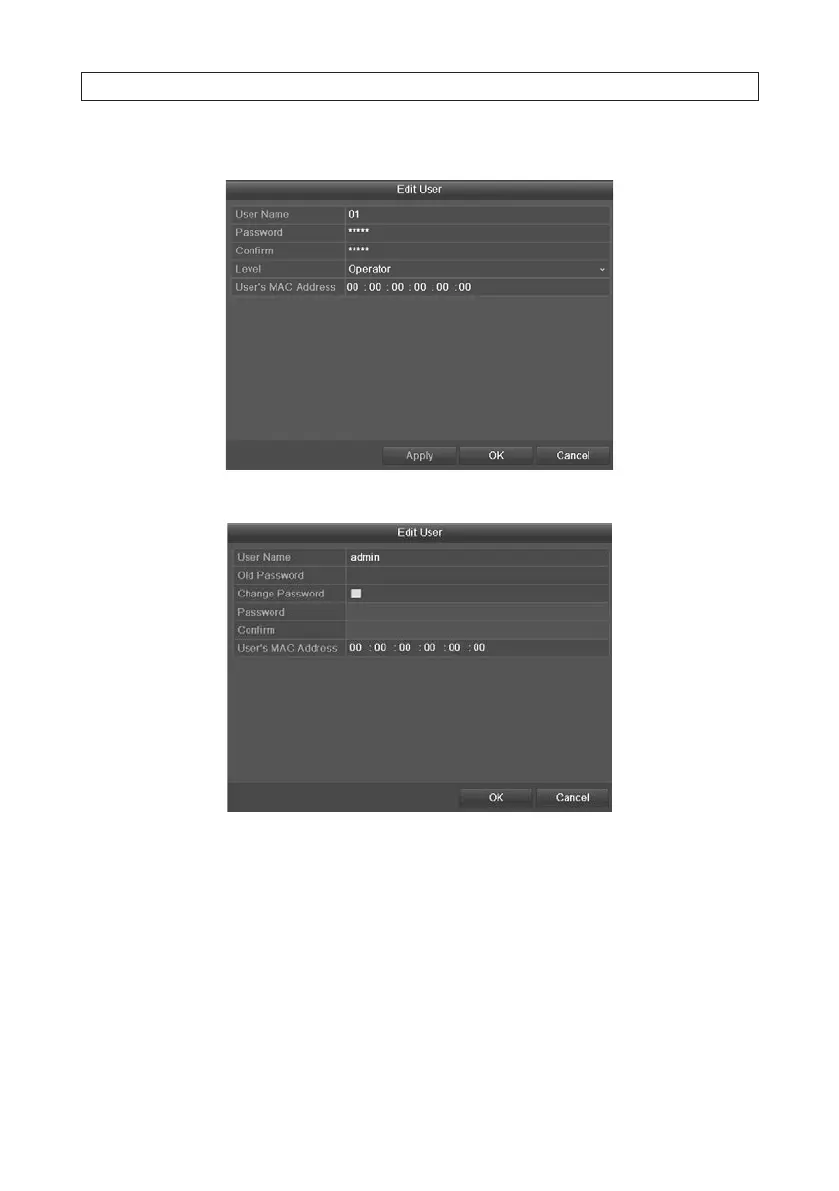
3. Click the Edit icon to open the Edit User interface. Note: The admin user can also be edited.
Operator and Guest Edit User menu
admin user Edit User menu
4. Select and edit the menu options as needed:
— Operator and Guest: You can edit the user information, including user name, password, permission level and MAC
address. To change the password, check the Change Password box, then enter the new password in the Password and
Conrm elds. Record your new password and save it in a secure location.
— Admin: In the Edit User menu for the admin user, you can edit only password and MAC address. To change the password,
check the Change Password box, enter the old (current) admin password, then enter the new password in the
Password and Conrm elds. Record your new password and save it in a secure location.
5. Click OK to save the settings and exit the menu.
SECTION 6: MANAGING USER ACCOUNTS











 To Next Page