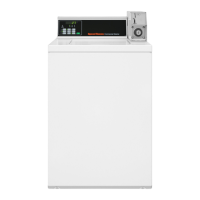
Opening the Service Door
Coin Models
Manually programming MDC requires the user to open and close
the service door. Opening and closing the service door trips a
switch allowing access to various programming options, diagnos-
tics and audit capabilities. The coin drawer switch must be closed
to enter the Manual Mode.
The service door is located on the top of the meter case. Refer to
Figure 3 .
Card Reader Models
Manual programming requires the user to remove the control
panel and unplug the bullet connector located between the
“white/black” and “red/blue” wires. This will allow the user to
access various programming options, diagnostics, and audit capa-
bilities. Refer to Figure 3 .
1. Service Door
2. Control Panel
Figure 3
Opening the Service Door
©
Copyright, Alliance Laundry Systems LLC -
DO NOT COPY or TRANSMIT
12 Part No. 202713ENR1



 To Next Page
 Loading...