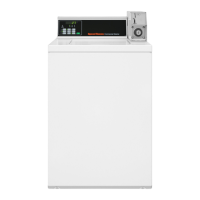
Entering the Manual Mode
How to Enter the Manual Mode
For programming, testing, and retrieving information from MDC,
it is often necessary to enter the Manual Mode by following the
six simple steps below.
1. Be sure the washer is in the Ready Mode before continuing to
step 2. If the washer is in an active cycle, rapid advance
through the cycle. Refer to Rapid Advance Feature.
2. Open the service door. The coin drawer must be closed.
3. While pressing and holding the NORMAL/HOT keypad with
one hand, press the NORMAL/ WARM keypad with the other
hand.
4.
The Four-Digit Display will show rAPd.
Figure 4
5. Press the PERM PRESS/WARM (∧) or the DELICATES/
COLD (∨) keypad to scroll through the options until the de-
sired option appears in the display.
6. Press the START (enter) keypad.
Manual Mode Features
There are four manual features available. They are as follows:
1.
Manual Programming (PrOg)
2.
Manual Audit (Audt)
3.
Diagnostic Tests (dIAg)
4.
Manual Rapid Advance (rAPd)
Once in the Manual Mode, continue on into one of the features
described in detail on the following pages.
Instructions on how to exit each feature are found at the end of
each feature description.
Entering the Manual Mode
©
Copyright, Alliance Laundry Systems LLC -
DO NOT COPY or TRANSMIT
13 Part No. 202713ENR1



 To Next Page
 Loading...