Machine Cycle Definition and Operation
Machine Cycle Operation
For heat cycles, the control will run the cycle with heat until the
programmed cool down time. No heat cycles run the programmed
no heat cycle time.
Power-Up Display
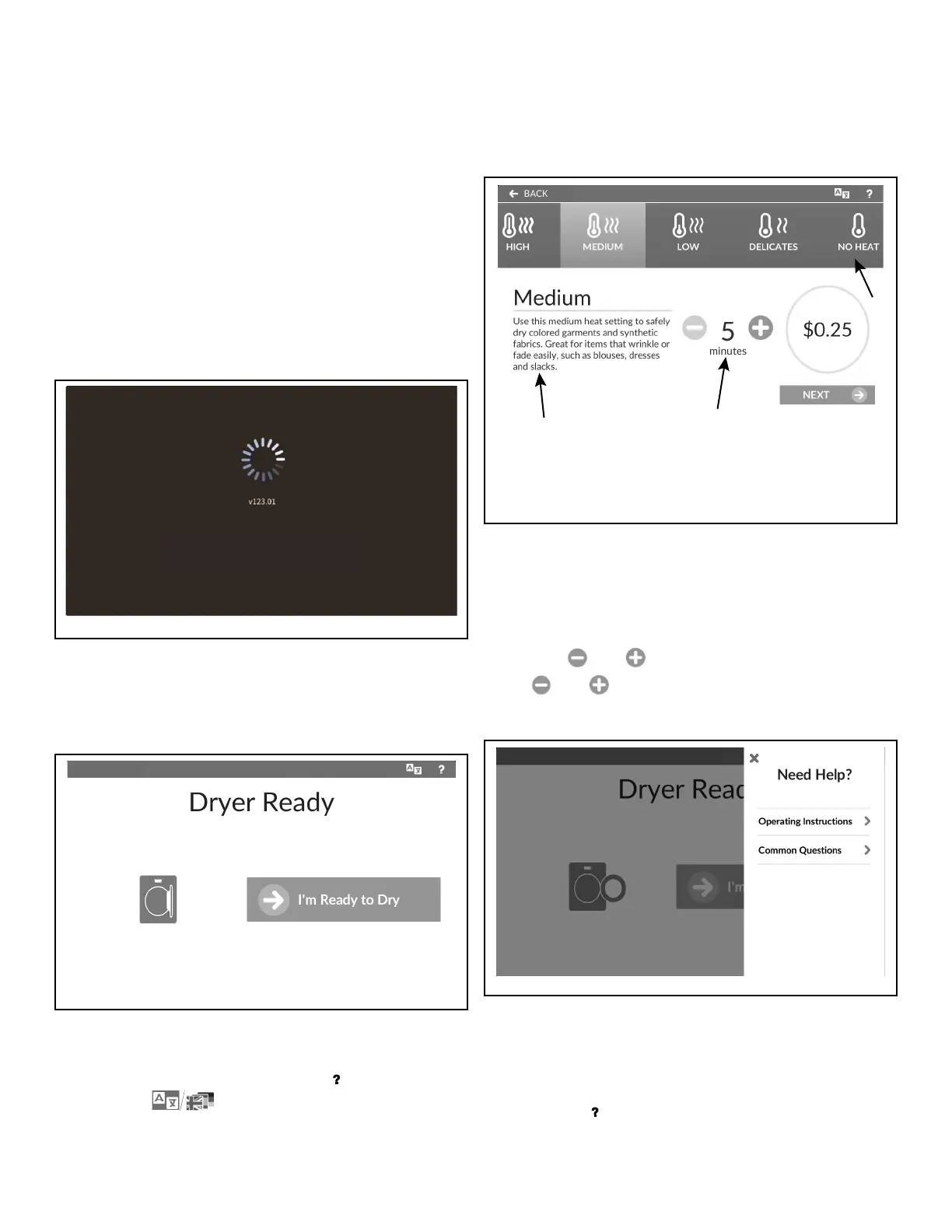
While the machine is powering up, the brand logo displays along
with the display firmware version. Refer to Figure 15 . After the
control has powered up, the display shows the Approach Page (if
enabled) or the Cycle Preset.
Figure 15
Cycle Selection Options
Approach Page
Figure 16
After power-up, the control automatically enters the Approach
Page, if enabled. Access to the Help Menu ( ) and Language Se-
lection Panel ( ) are available on this and all other cy-
cle selection sub-menus.
Cycle Preset Page
1. Preset Ribbon (swipe to scroll)
2. Time Control
3. Cycle Description
Figure 17
The Cycle Preset Page allows the user to select a preset tempera-
ture by touching the icon in the preset ribbon.
The user can change the programmed time setting for any cycle
by touching and on the Time Control, if enabled. If dis-
abled,
and will not be shown.
Help Menu
Figure 18
The Help Menu displays over the top of the current menu. If pro-
grammed, this menu includes staff contact phone number, ma-
chine operating instructions and common questions.
To access, touch in the menu header of any end-user screen.
Machine Cycle Definition and Operation
©
Copyright, Alliance Laundry Systems LLC -
DO NOT COPY or TRANSMIT
26 Part No. 70600001ENR6





 To Next Page