•
Touch to return to the current menu and continue making
changes.
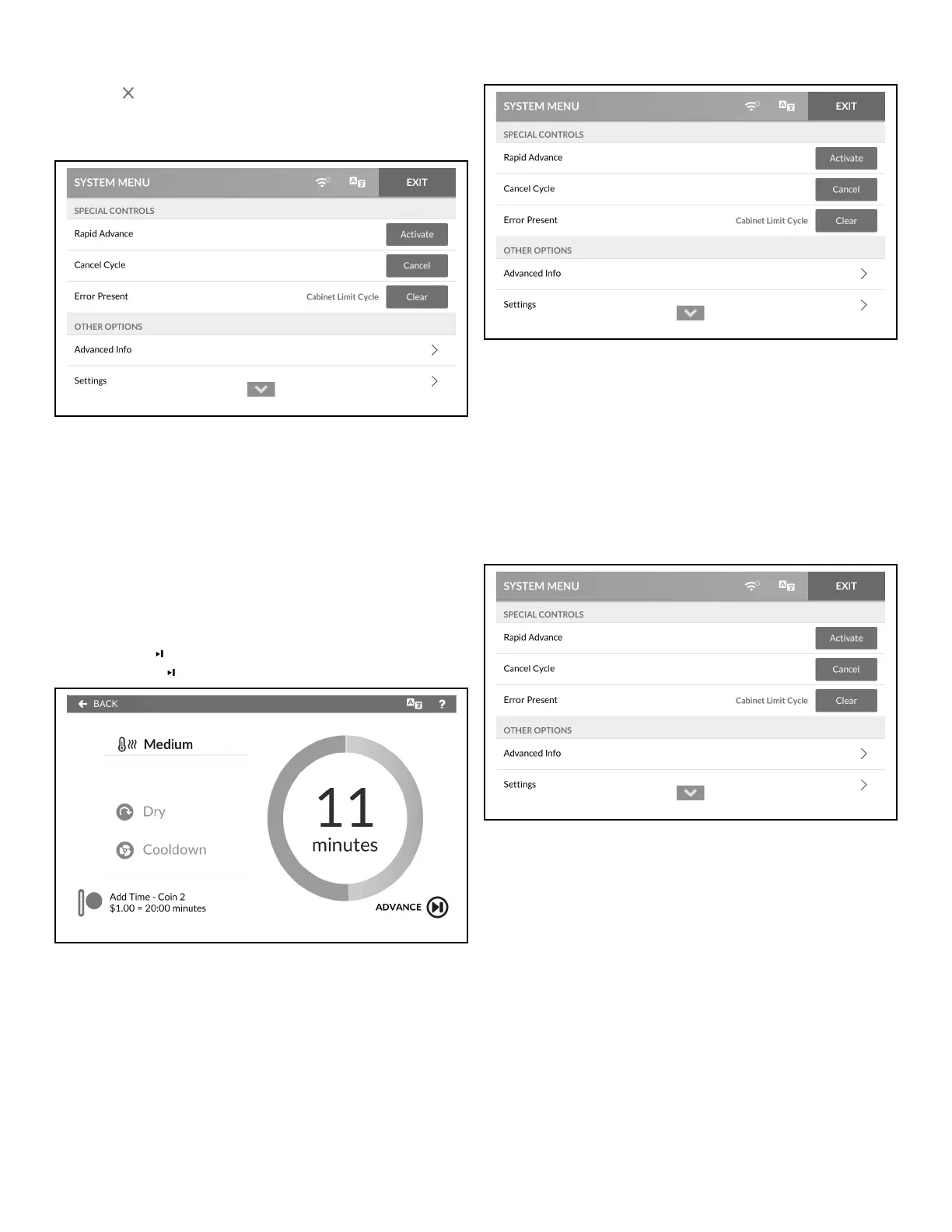
Rapid Advance Activation
Figure 34
1. To access, touch and hold the center of the menu header on
the display with the service door open and, for coin models,
the coin vault closed. The control enters the System Menu.
2. Touch Activate next to RAPID ADVANCE.
3. If the option is passcode protected in programming, enter the
passcode in the Passcode Menu. Activate changes to "Active"
to indicate the Rapid Advance option is active.
4. When finished activating Rapid Advance, touch EXIT to exit
the System Menu.
5. ADVANCE shows in the lower right corner of the Run
Menu . Touch to take a minute off dry time or cool down.
Figure 35
Cancel Cycle
Figure 36
1. To access, touch and hold the center of the menu header on
the display with the service door open and, for coin models,
the coin vault closed. The control enters the System Menu.
2. Touch CANCEL next to CANCEL CYCLE to end the cycle
and hide the option.
3. When finished, touch EXIT to exit the System Menu.
Clear Active Error
Figure 37
1. To access, touch and hold the center of the menu header on
the display with the service door open and, for coin models,
the coin vault closed. The control enters the System Menu.
2. Touch Clear next to ERROR PRESENT to clear the error.
This option only shows if errors are present.
3. When finished clearing the error, touch EXIT to exit the Sys-
tem Menu.
Clear Partial Vend
Manual Programming
©
Copyright, Alliance Laundry Systems LLC -
DO NOT COPY or TRANSMIT
33 Part No. 70600001ENR6






 To Next Page