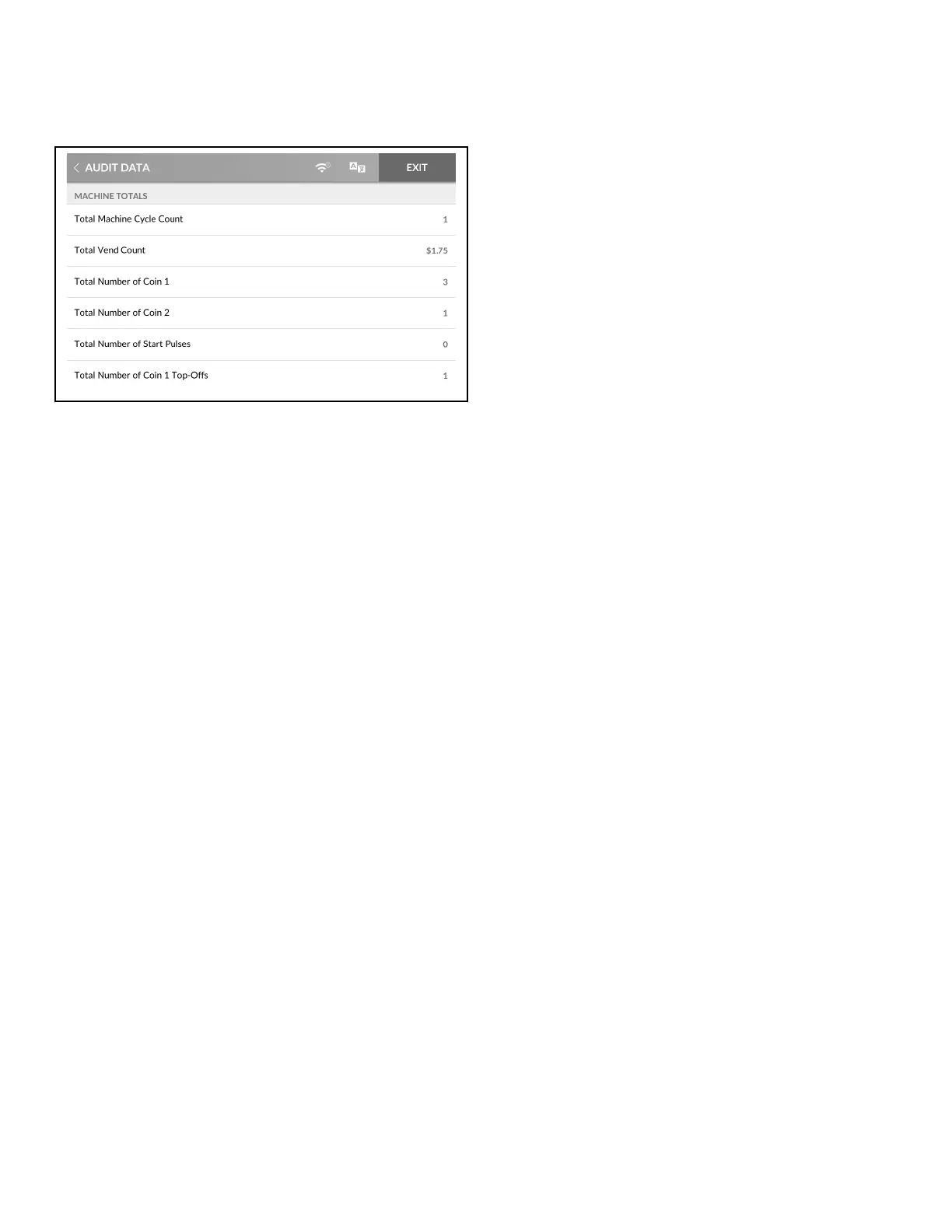
Audit Data Menu
Figure 42
The Audit Menu allows the user to read audit data via the touch
display rather than connecting to a PC.
The display will show the following audit parameters:
• Machine Totals
• Total number of machine cycles
• Total vend count
• Total number of Coins#1
• Total number of Coins#2
• Total number of start pulses
• Total number of rapid advance cycles
• Total number of run hours
• Resettable Counters
• Other Metrics
• Individual Cycle Counts
1. To access, touch and hold the center of the menu header on
the display with the service door open and, for coin models,
the coin vault closed. The control enters the System Menu.
2. Touch AUDIT DATA from the display to enter the Audit
Menu.
3. Swipe to view the information.
4. When finished viewing or running diagnostics, touch AUDIT
DATA to return to the System Menu or EXIT to exit the Sys-
tem Menu.
Audit Data Menu
©
Copyright, Alliance Laundry Systems LLC -
DO NOT COPY or TRANSMIT
50 Part No. 70600001ENR6






 To Next Page