© Copyright, Alliance Laundry Systems LLC – DO NOT COPY or TRANSMIT
Operation
1300003 (EN)
26
Pre-Operating Procedures
NOTE: All maintenance must always be carried
out when the machine is stopped, the cylinder is
cold, and the circuit breaker is turned off.
Perform the following procedures daily before starting
the finisher.
1. Inspect the area between the thermostat and the
cylinder by gently pressing on the thermostat
holder so the thermostat lifts up.
2. Clean area if debris is present.
3. Check that the thermostat holder touches the
cylinder.
Operating Instructions
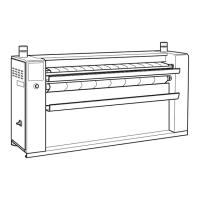
To identify the finisher’s controls, refer to Figure 19.
IMPORTANT: The flatwork finishers are for
professional use and must be operated by qualified
personnel.
1. Perform Pre-Operating Procedures.
2. Press START keypad. Indicators will light,
current temperature and preset speed will be
displayed, blower fan starts, cylinder rotates, and
after 15 seconds, the finisher will begin to heat.
3. Check that the feeding ribbons are rotating in
direction toward interior of finisher.
4. Check the operation of the finger guard safety
panel by touching the panel. If finisher does not
stop, press STOP keypad, discontinue use and
call a qualified service person.
5. Press START keypad.
6. Choose an ironing speed between 1 and 7 by
pressing either the increase ironing speed or
decrease ironing speed keypads. The current
speed is displayed in the speed display. The
current speed does not need to be reset after
power failure.
When finisher is started, if the preset speed is set
between 1 and 7, the cylinder will rotate at
speed 1, regardless of the preset speed, while the
detected temperature remains below the preheat
operating temperature (266°F [130°C] by
default). Once the preheat operating temperature
has been reached, the preset speed will be
activated. If the temperature drops below the
preheat operating temperature during operation,
the speed will readjust to speed 1.
NOTE: To perfectly dry and put sheen on the
laundry, the speed must be adjusted according to
the type of fabric and dampness level of the
material being ironed.
7. View preset temperature by pressing SET
keypad. Adjust temperature by pressing increase
preset temperature keypad or decrease preset
temperature keypad according to the type of
fabric and dampness level of the material being
ironed. The new temperature is stored after three
seconds.
Temperature display will then display current
temperature. The maximum temperature value is
established by the manufacturer.


 To Next Page

