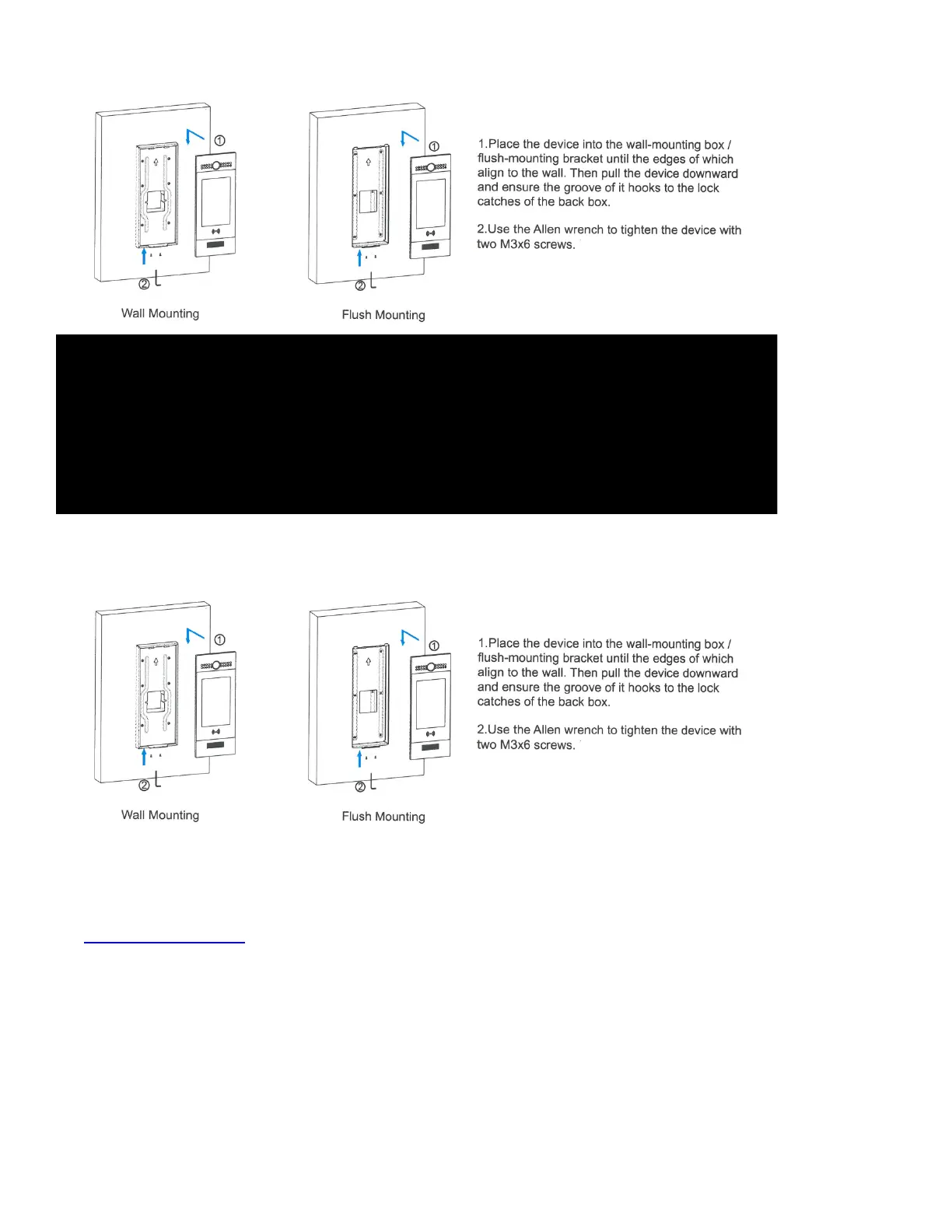
» Back Cover Installation
» Device Mounting
» Settings & Conguration
» General Settings
• Panel Name: This is the name of the door station. It typically reects it’s location (ie, Front Door or Side
Entrance).
• Panel MAC Address: The unique MAC Address associated with this item. It can be found on the back
of the station.
• Buildings To Display: Select the installation building(s) you wish this unit to be associate with. All
apartments & residents in those buildings will be displayed on the directory. Furthermore, only QR
Access Codes that are associated with apartments in that building (or those buildings) will work from
that door/entry panel.
37


 To Next Page