A BOUT SMARTA PPLETS
Installing SmartApplets
1-2
. . . . .
Installing SmartApplets
To install SmartApplets that are not on your NEO, you’ll need AlphaSmart
Manager installed on your computer. For instructions, see the AlphaSmart 2
User Manual. Once you have AlphaSmart Manager installed, follow these
steps.
1. If you have received a new SmartApplet, close AlphaSmart Manager if it
is already running.
2. If you have a single NEO, use the USB cable that came with your NEO to
connect it to your computer.
If you have a SmartOption Cart with several NEOs, connect the NEOs to
the appropriate cables in your cart. (Your computer must be connected to
the cart’s AlphaHub.)
3. If you have received a new SmartApplet, on your computer, use Windows
Explorer or Macintosh Finder to browse to the location where you
unzipped or unstuffed the SmartApplet files. Double-click the file that ends
with .OS3KApp (such as KeyWords.OS3KApp). AlphaSmart Manager
will start and display the SmartApplets tab.
If you want to install a SmartApplet that you already have, start
AlphaSmart Manager and click the SmartApplets tab.
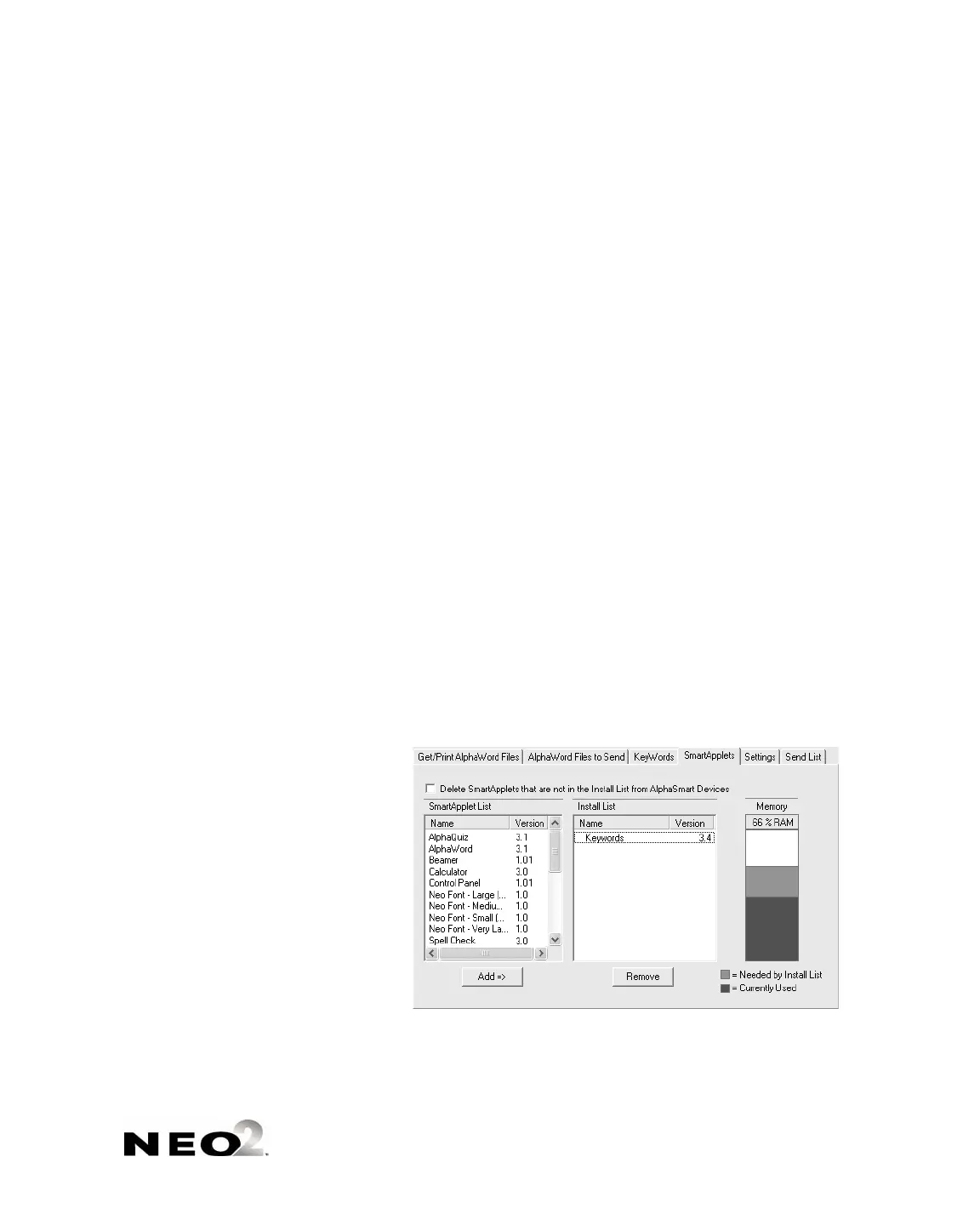
4. If the SmartApplet that you want to install is not already in the Install List
A
, click it in the SmartApplet list and click Add => to add it to the list.
(You can also drag the SmartApplets between lists.)
Make sure the Memory column B shows that there is enough space on
the NEO(s) to install this SmartApplet.
A
B



 To Next Page