A BOUT SMARTA PPLETS
Disabling SmartApplets On NEOs
1-4
. . . . .
Disabling SmartApplets on the NEO Itself
1. With the NEO on, press applets.
2. Use the arrow keys to move the cursor next to the SmartApplet that you
want to disable.
3. Press ctrl-z-L.
4. Enter the NEO’s master password. (This password is set in AlphaSmart
Manager in the System settings; for more information, see the
AlphaSmart Manager 2 User Manual.)
Disabling SmartApplets within AlphaSmart Manager
You need AlphaSmart Manager installed on your computer to follow these
steps.
1. If you have a single NEO, use the USB cable that came with your NEO to
connect it to your computer.
If you have a SmartOption Cart with several NEOs, connect the NEOs to
the appropriate cables in your cart. (Your computer must be connected to
the cart’s AlphaHub.)
2. Start AlphaSmart Manager on your computer.
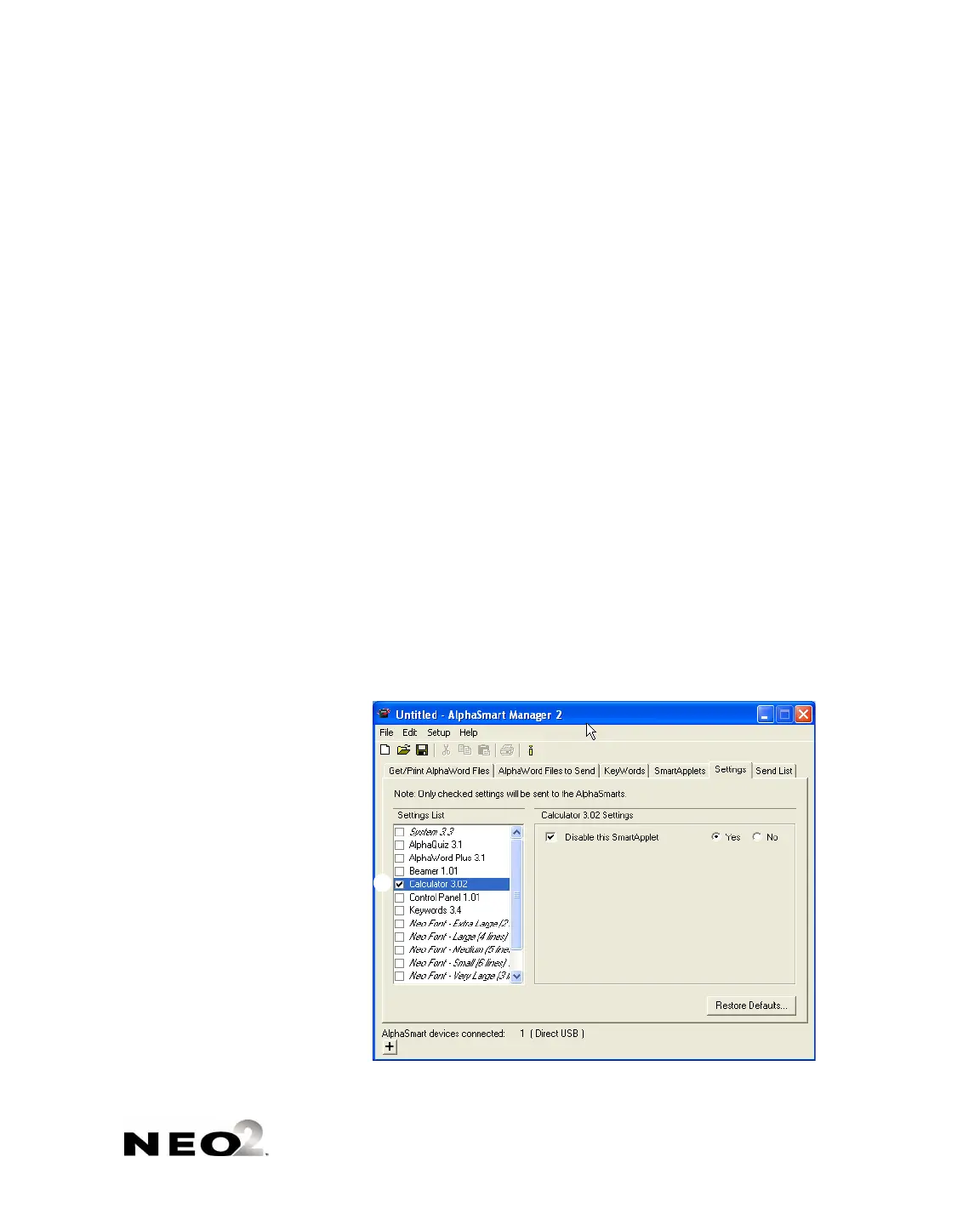
3. Click the Settings tab.
4. In the list on the left , click the SmartApplet that you want to disable.
5. Check the box labeled Disable this SmartApplet .



 To Next Page