K EYW ORDS
Using KeyWords RP to View and Print Reports
5-37
. . . . .
Bringing KeyWords Data into KeyWords RP
To bring your KeyWords data from NEOs into KeyWords RP in Renaissance
Place, you need to use AlphaSmart Manager to synchronize the KeyWords
data from the NEOs with KeyWords RP. For instructions, see page 5-23.
Viewing KeyWords RP Reports
KeyWords RP reports give you more information about your students’
progress and performance on KeyWords lessons and tests on the NEO.
KeyWords RP reports also provide details about class performance, student
and teacher information (including logins and passwords), and schoolwide
performance in KeyWords.
Renaissance Place Reports vs. KeyWords RP Reports
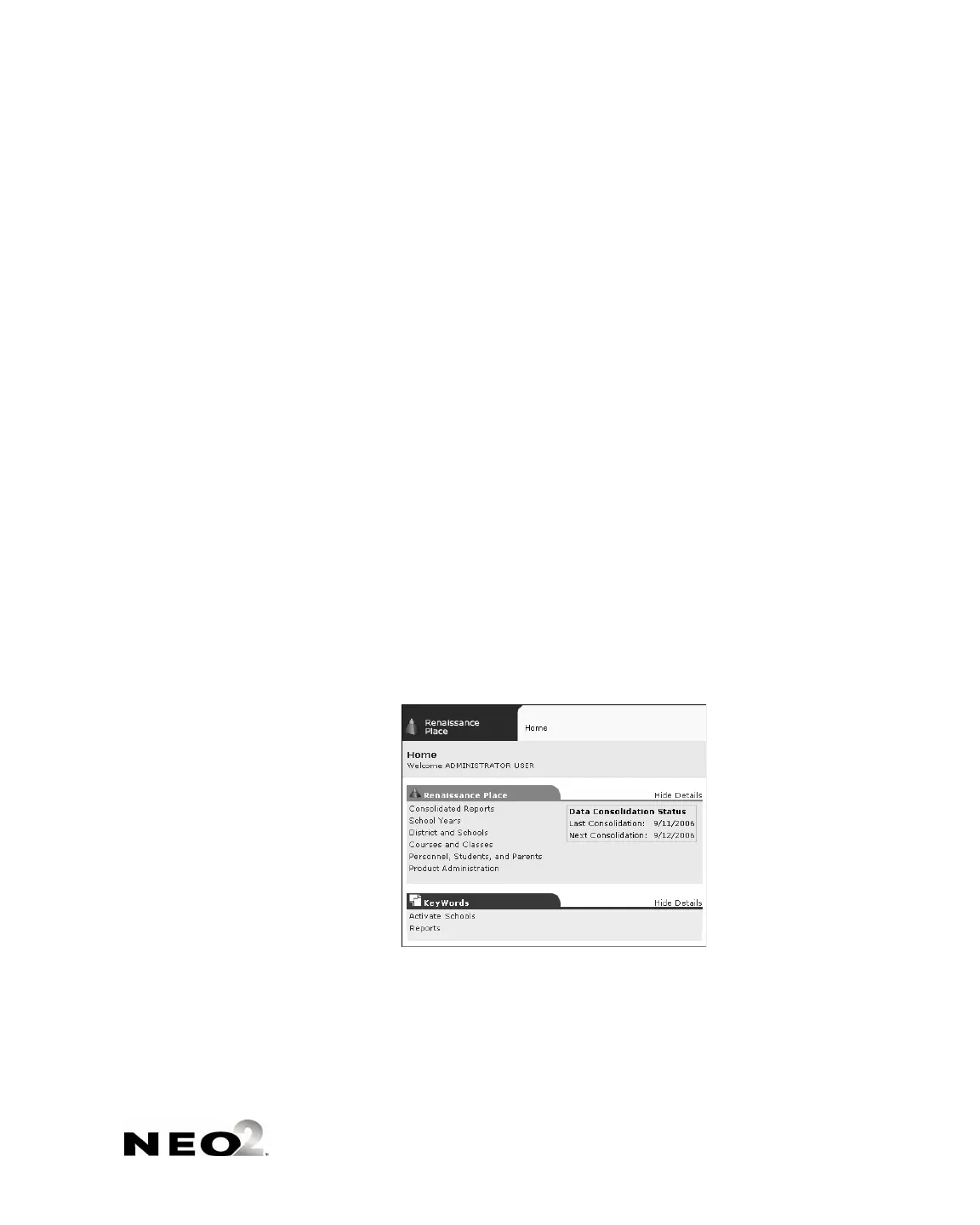
On your Renaissance Place Home page, you will see a Consolidated Reports
link under Renaissance Place in addition to the Reports link under
KeyWords.
When you click Consolidated Reports
A under the Renaissance Place tab,
administrators and teachers can generate reports with data from more than
one Renaissance Place product. However, KeyWords data does not appear on
any Renaissance Place consolidated report.
When you click Reports
B under the KeyWords tab, you can generate
reports about your student’s KeyWords lessons.
A
B



 To Next Page