A LPHAQ UIZ
Creating Quizzes in QuizDesigner
7-7
. . . . .
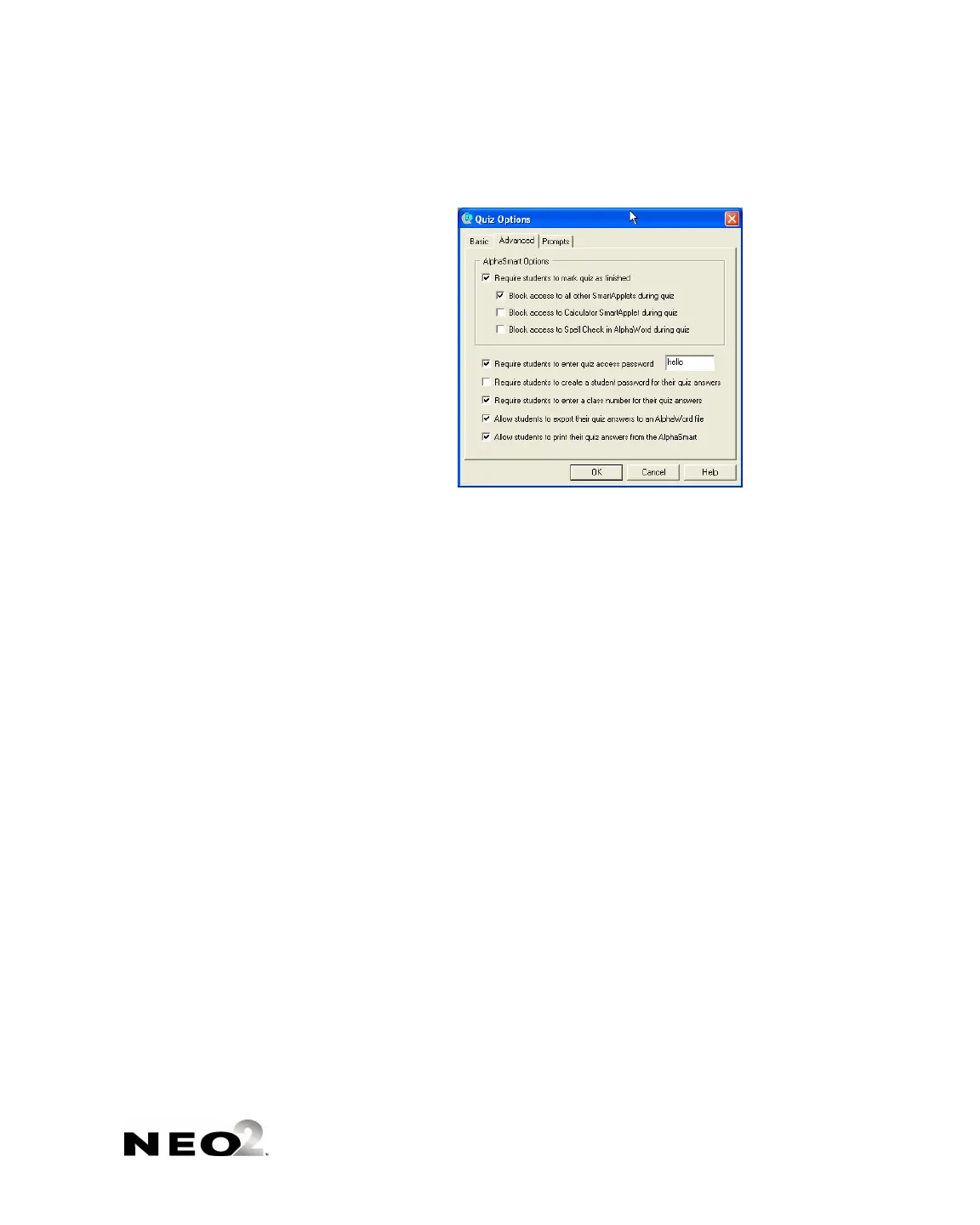
3. Click the Advanced tab and make any changes as needed:
B
C
D
E
F
G
H
I
J
B
This prevents students from
using the NEO for other things
until the quiz is finished. It also
prevents students from
changing their answers after
they finish a quiz. The three
boxes below this one are
available only if you check this
box.
C This prevents students from
using anything other than
AlphaQuiz on the NEO during a
quiz.
D This prevents students from
using the Calculator on NEO
during a quiz.
E This prevents students from
using NEO’s spell check feature
during a quiz.
F This requires students to enter
the password that you specify at
the beginning of a quiz. This
ensures that only authorized
students can take the quiz and
see the questions. The default
password is “hello,” but you
should use a unique password
for each quiz.
G This requires students to create
their own passwords so that
other students can’t see their
quiz answers.
H This requires students to enter a
class number so that
QuizManager can group student
responses by class.
I This lets students send the quiz
to a read-only AlphaWord Plus
file.
J This lets students print the quiz
questions and answers.



 To Next Page