A LPHAQ UIZ
Printing Reports in QuizManager
7-45
. . . . .
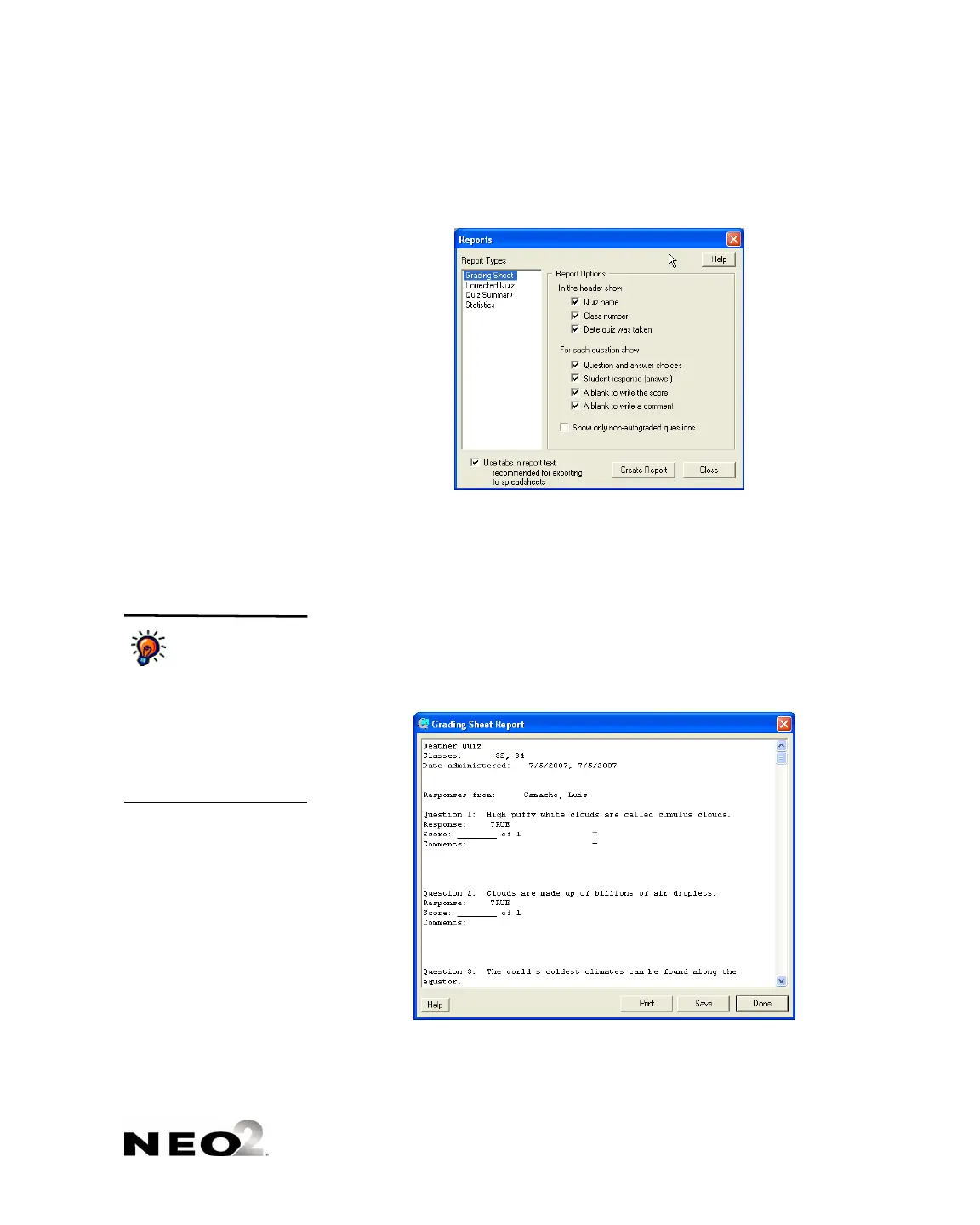
3. On the left side of the window, click the name of the report you want to
print
B.
4. On the right side of the window, check the boxes for the information you
want to include
C. If you want tabs in the report text, check that box D.
5. Click Create Report. The report will appear in a window like the one
shown below.
6. Use the buttons in the window to print or save the report:
• To print the report, click Print. In the print dialog box, click OK
(Windows) or Print (Macintosh).
• To save the report as a text file, click Save. Then, choose a location
for the report file and enter a name; then, click Save.
B
C
D
On Macintosh
computers only, you
can also choose
whether to view the report
for all selected students or
just one student. Click the
drop-down list at the bottom of
the window to choose a
student name or All
Students.



 To Next Page