Connections
31
En
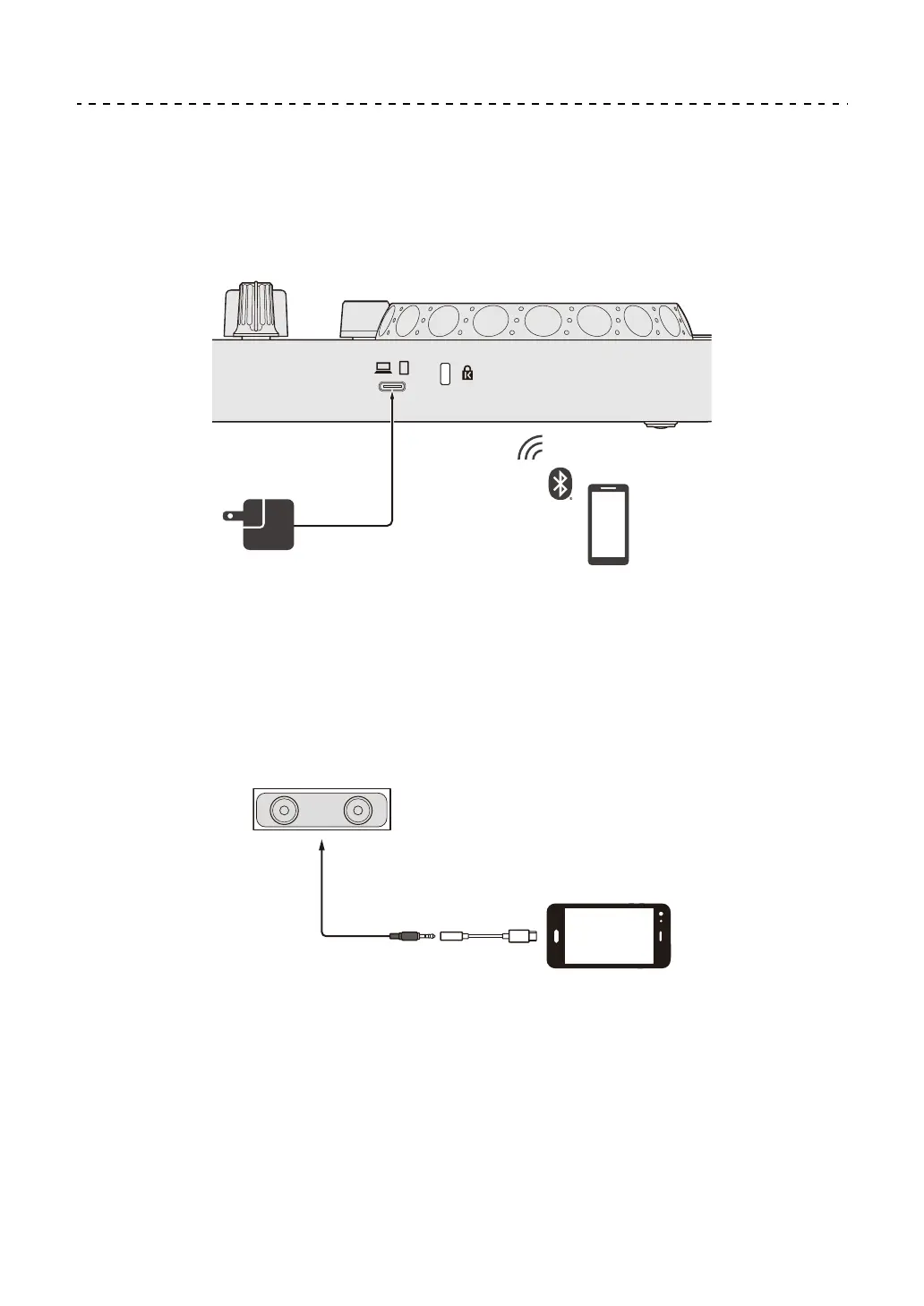
Connecting via Bluetooth
You can connect your mobile device via Bluetooth.
Sound does not output from the unit via Bluetooth. Instead, connect a
cable from the mobile device to an audio output device before use.
Connecting to an audio device (example 1)
In this example, the master sound plays in stereo and there is no sound
output to the headphones.
(1) Speaker with built-in amplifier, etc.
(2) USB/Lightning to 3.5 mm headphones jack (not supplied)
(1)
(2)



 To Next Page