8-EN
Setting the Subwoofer Output
You can set the subwoofer output to stereo or
monaural.
Make sure to set the correct output for your
subwoofer type.
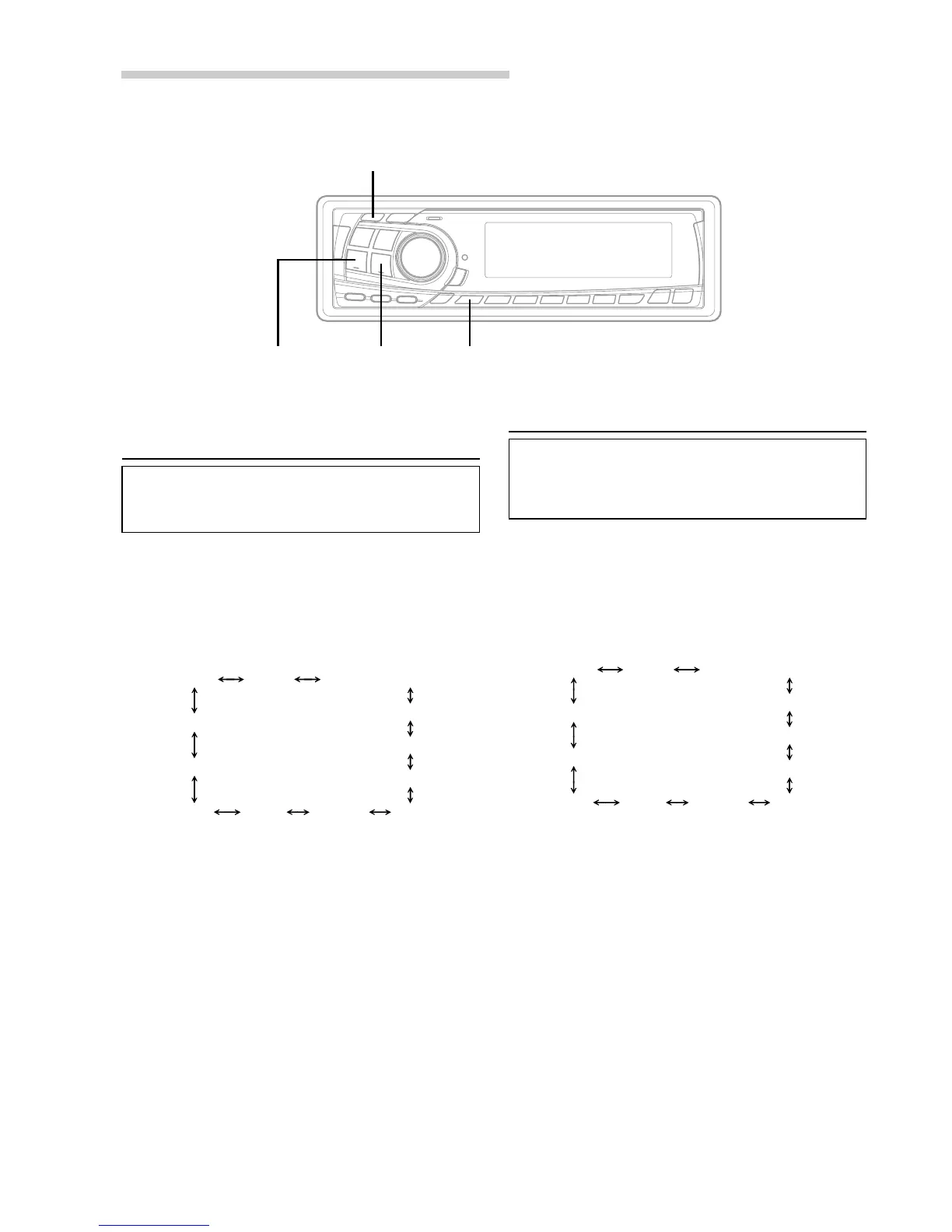
1 Press and hold the SETUP button for at least 2
seconds.
2 Press the fUP button to select “Switching the
SUB-W monaural/Stereo (SUB-W STEREO or
MONO) mode.”
∗ Displayed when you set SUB-W to ON.
NOTE
If you press the g DN button, the display scrolls in
reverse sequence.
3 Press the TUNE button to select SUB-W
STEREO or MONO.
SUB-W STEREO:
Subwoofer stereo (L/R) output
SUB-W MONO:
Subwoofer monaural output.
NOTE
The initial setting at the factory is SUB-W STEREO.
4 Press the SETUP button to set the selected
mode.
TUNER SUB-W
SUB-W (switching phase)
∗
SUB-W STEREO/MONO
∗
AUX MUTE SCROLL BEEP
CONTRAST
DISC/FOLDER
DEMO
SRC DHE
Switching the Phase of the
Subwoofer Output
You can switch the phase of the subwoofer output
to NORMAL 0˚ or REVERSE 180˚.
To select the desired phase.
1 Press and hold the SETUP button for at least 2
seconds.
2 Press the fUP button to select “Switching the
phase of the SUB-W (SUB-W NORMAL or
REVERSE) mode.”
∗ Displayed when you set SUB-W to ON.
NOTE
If you press the g DN button, the display scrolls in
reverse sequence.
3 Press the TUNE button to select NORMAL (0˚) or
REVERSE (180˚).
NOTE
The initial setting at the factory is SUB-W NORMAL.
4 Press the SETUP button to set the selected
mode.
TUNER SUB-W
SUB-W (switching phase)
∗
SUB-W STEREO/MONO
∗
AUX MUTE SCROLL BEEP
CONTRAST
DISC/FOLDER
DEMO
SRC DHE
SETUP
TUNE
g DN f UP
Basic Operation


 To Next Page