34-EN
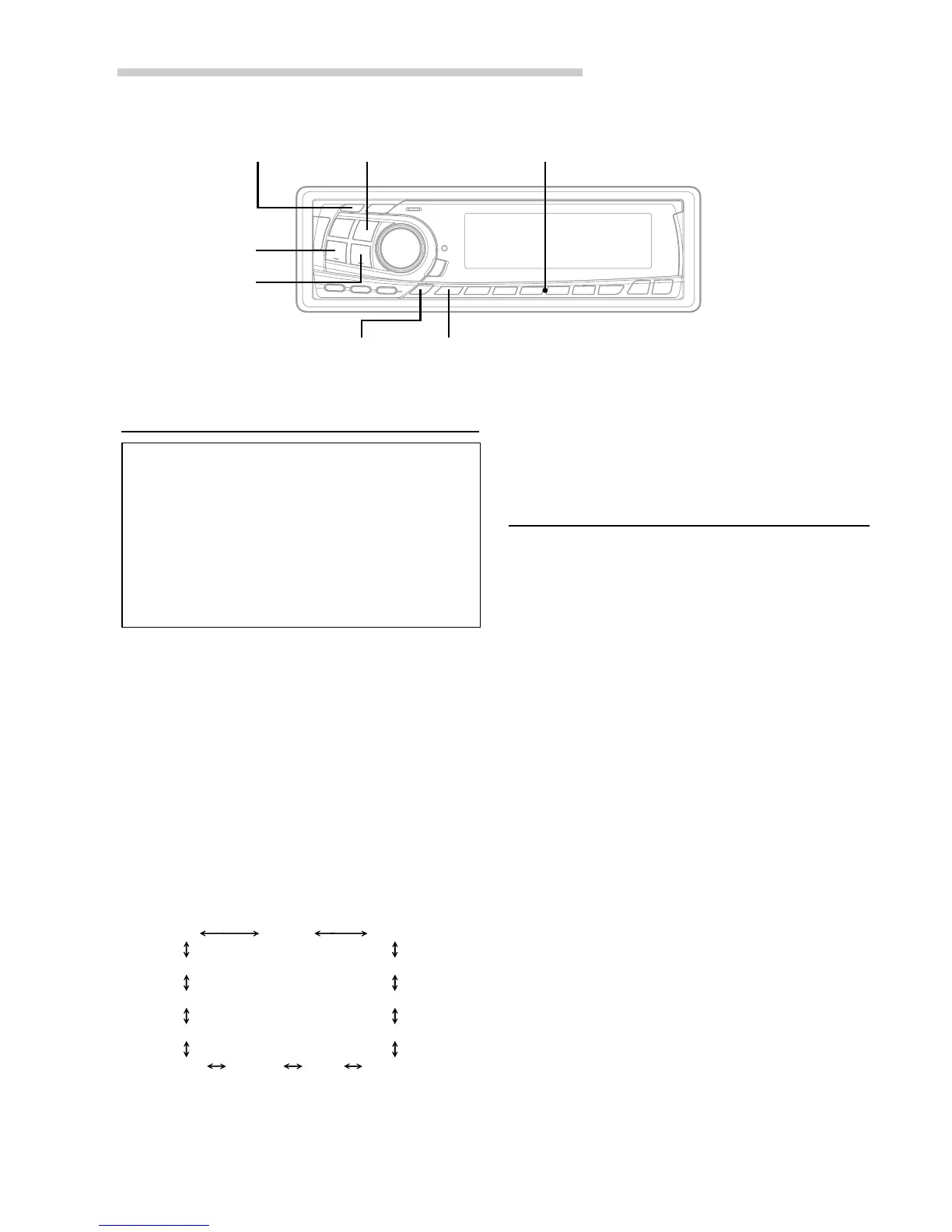
TUNE/CAT
f UP
g DN
TITLE
Checking the XM Radio ID Number
You need to provide XM with the unique XM
Radio ID number for your XM Radio Receiver in
order to subscribe to XM's programming.
This number is an 8 character alphanumeric
number that is printed on a label directly on the
XM Receiver.
It can also be displayed on the screen of the CDA-
7878 in the following way.
1 While receiving XM1/XM2, press the g DN or
f UP button to select channel “0.”
2 The unit alternately displays “RADIO ID” for 2
seconds, then the ID number for 10 seconds.
3 To cancel the ID number display, set the channel
to other than “0.”
NOTE
There is another way to display your ID number.
1. Press and hold the SETUP button for at least 2
seconds.
2. Press the f UP button repeatedly to select “ID.”
Each press of the f UP button changes the modes
as shown:
* Displayed when you set SUB-W to ON.
If you press the g DN button, the display scrolls in
reverse sequence.
XM Radio Operation
3. Press the TUNE button to display your ID number.
4. After checking your ID number, press the SETUP
button to return to the normal display.
Storing XM Channel Presets
1 Press the BAND button to select the desired
band (XM1 or XM2) you want to store.
2 After tuning in the desired channel, press and
hold any one of the Preset buttons (1 through
6) for at least 2 seconds until the channel number
on the display blinks.
3 Press the Preset button into which you wish to
store the channel while the channel number
display is blinking (within 5 seconds).
The display stops blinking once the channel has
been memorized. The display shows the band,
preset No. with a triangle (9) and channel
number memorized.
4 Repeat the procedure to store up to 5 other
channels onto the same band.
To use this procedure for other bands, simply
select the band desired and repeat the
procedure.
A total of 12 channels can be stored in the preset
memory (6 channels for each band; XM1 and
XM2).
NOTE
If you store a channel in a preset memory which already
has a station, the current channel will be cleared and
replaced with the new one.
Preset buttons (1 through 6)BAND
SETUP
ID TUNER SUB-W
SUB-W (switching phase)
∗
SUB-W STEREO/MONO
∗
AUX
MUTE SCROLL BEEP
CONTRAST
DISC/FOLDER
DEMO
SRC DHE


 To Next Page