33-EN
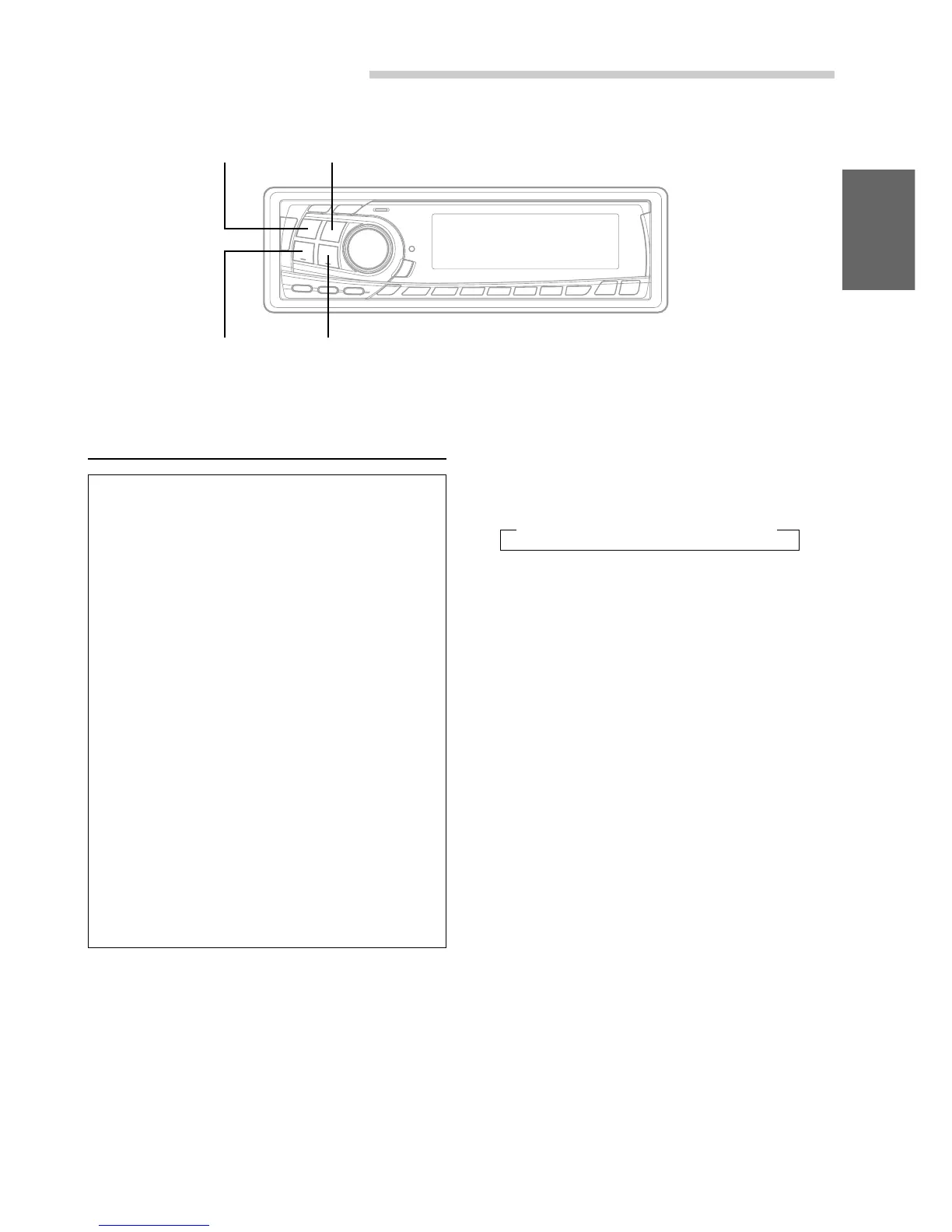
SOURCE BAND
f UP g DN
Receiving XM Channels with the
XM Receiver (Optional)
XM Satellite Radio* is the next generation of
audio entertainment, with up to 100 brand-new
digital channels. For a small monthly fee,
subscribers can hear crystal-clear music, sports,
news and talk, coast-to-coast via satellite. For
more information, visit XM’s website at
www.xmradio.com or call 1-877-XMRADIO.
An optional XM Satellite Radio Receiver (TUA-
T020XM) may be connected to the CDA-7878 if it
is Ai-NET compatible. With an XM Receiver
connected to the Ai-NET input of the CDA-7878,
the XM Receiver will be controllable from the
CDA-7878.
* XM and its corresponding logos are trademarks
of XM Satellite Radio Inc.
NOTES
• The controls on the CDA-7878 for XM Receiver
operation are operative only when an XM Receiver is
connected.
• The XM1 or XM2 band illuminates when in XM mode.
XM Radio Operation
1 Press the SOURCE button to select RADIO
Mode.
2 Press the BAND button to select XM1 or XM2.
Each press changes the band:
→ FM1 → FM2 → XM1 → XM2 → AM
3 Press the g DN or f UP button to select
the desired channel. Holding the g DN or
f UP buttons will change channels
continuously.


 To Next Page