9-EN
Sound (Beep) Guide Function
This function will give audible feedback with
varying tones depending upon the button
pressed.
1 Press and hold the SETUP button for at least 2
seconds.
2 Press the f UP button repeatedly to select
“BEEP.”
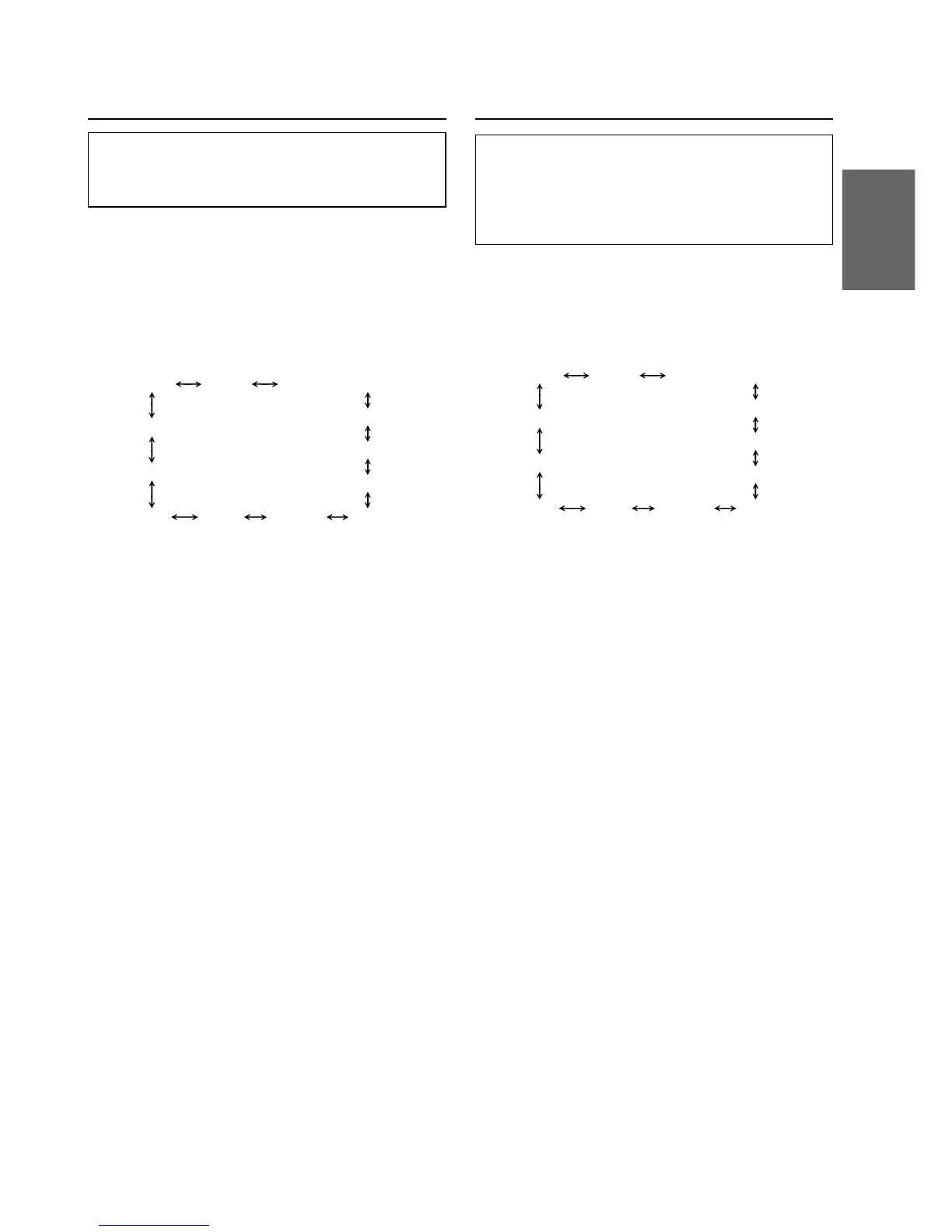
Each press of the f UP button changes the
modes as shown:
∗ Displayed when you set SUB-W to ON.
NOTE
If you press the g DN button, the display scrolls in
reverse sequence.
3 Press the TUNE button to toggle the mode
between BEEP ON and BEEP OFF.
NOTE
The initial setting at the factory is BEEP ON.
4 Press the SETUP button to set the selected
mode.
TUNER SUB-W
SUB-W (switching phase)
∗
SUB-W STEREO/MONO
∗
AUX MUTE SCROLL BEEP
CONTRAST
DISC/FOLDER
DEMO
SRC DHE
Turning Mute Mode On/Off
If a device having the interrupt feature is
connected, audio will be automatically muted
whenever the interrupt signal is received from the
device. This function can be turned ON or OFF
from the head unit by following procedure below.
1 Press and hold the SETUP button for at least 2
seconds.
2 Press the f UP button to select the MUTE
mode. Each press changes the modes as shown:
∗ Displayed when you set SUB-W to ON.
NOTE
If you press the g DN button, the display scrolls in
reverse sequence.
3 Press the TUNE button to turn on or off the
MUTE mode.
Each press toggles between the MUTE ON and
OFF modes.
NOTE
The initial setting at the factory is “MUTE ON.”
4 Press the SETUP button again to return to
normal operation.
TUNER SUB-W
SUB-W (switching phase)
∗
SUB-W STEREO/MONO
∗
AUX MUTE SCROLL BEEP
CONTRAST
DISC/FOLDER
DEMO
SRC DHE


 To Next Page