16
Radio Operation
English
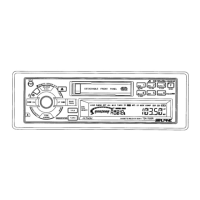
Automatic Seek Tuning
1
Press the SOURCE button until radio frequency
appears in the display.
Press the BAND button repeatedly until the
desired radio band is displayed.
2
90.10
TAPE
SOURCE
A.S.U.
BAND
PROG
F 1
F 2
AM
Press the TUNE button to illuminate the DX and
SEEK indicators in the display.
With the DX mode activated, both strong and
weak stations will be tuned in the Auto-Seek
operation.
Press again to return to the local mode. The DX
indicator will turn off and the SEEK indicator will
remain illuminated. Now, only strong stations
will be tuned.
3
Press the DN or UP button to automatically
seek a station downward or upward
respectively.
The unit will stop on the next station it finds.
Press the same button again to seek next
station.
4
DX-SEEK
SEEK
F1 90.10
UP
DN
1
3
2
4
TUNE·A. ME



 To Next Page