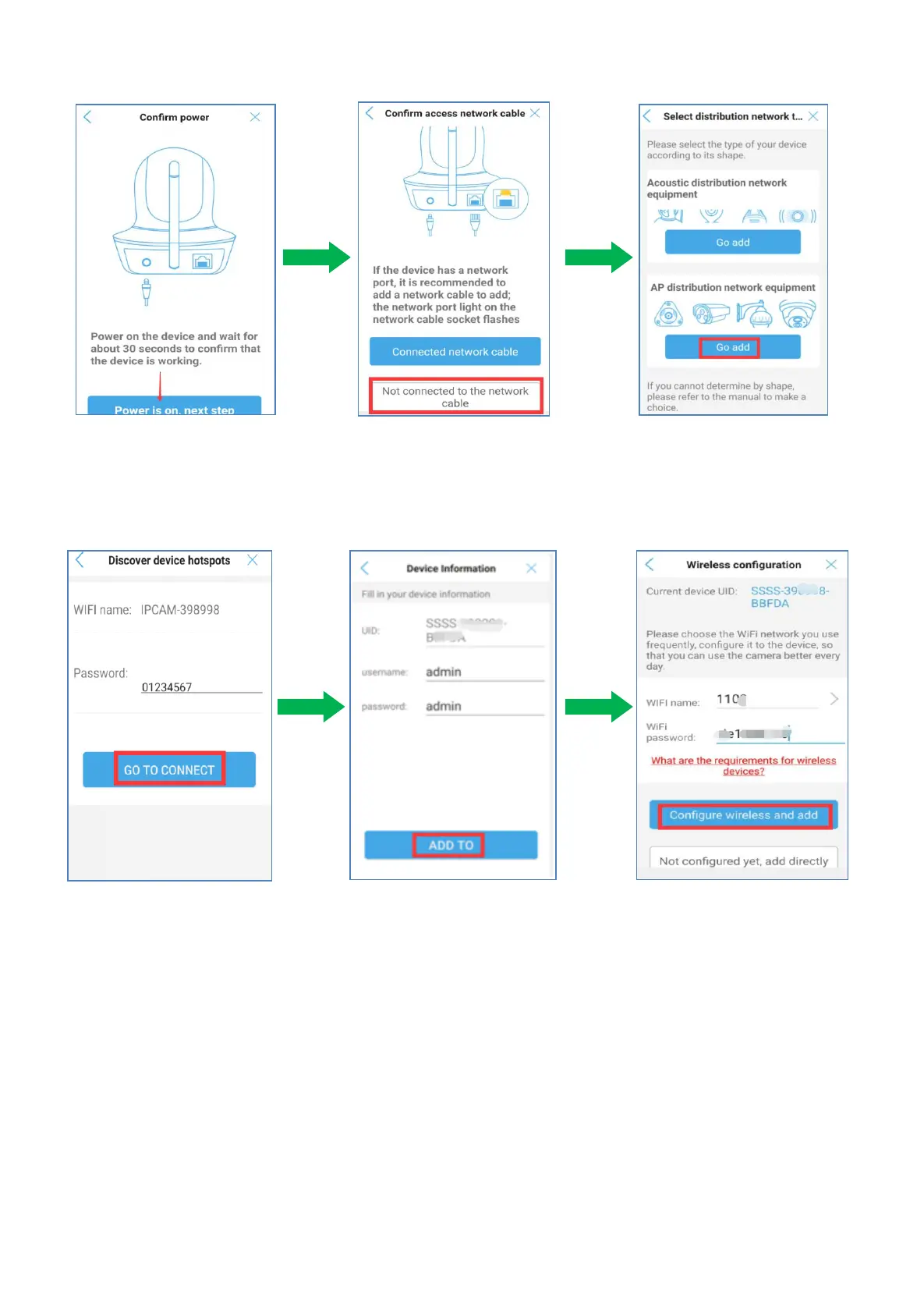
6) Tap “power is on,next step” Tap "Not connected to network cable' Go to AP distribution
network equipment and Tap "Go add'
7) Input password:01234567,Tap “GO TO CONNECT”.
8) Tap “ADD TO”, The default username and password are both set as admin.
9) Select your home 2.4ghz WiFi and input the WiFi password, tap "Configured wireless and add”
10) After configuration, you can view the real-time video and install the camera at a location within your
local WiFi range.


 To Next Page