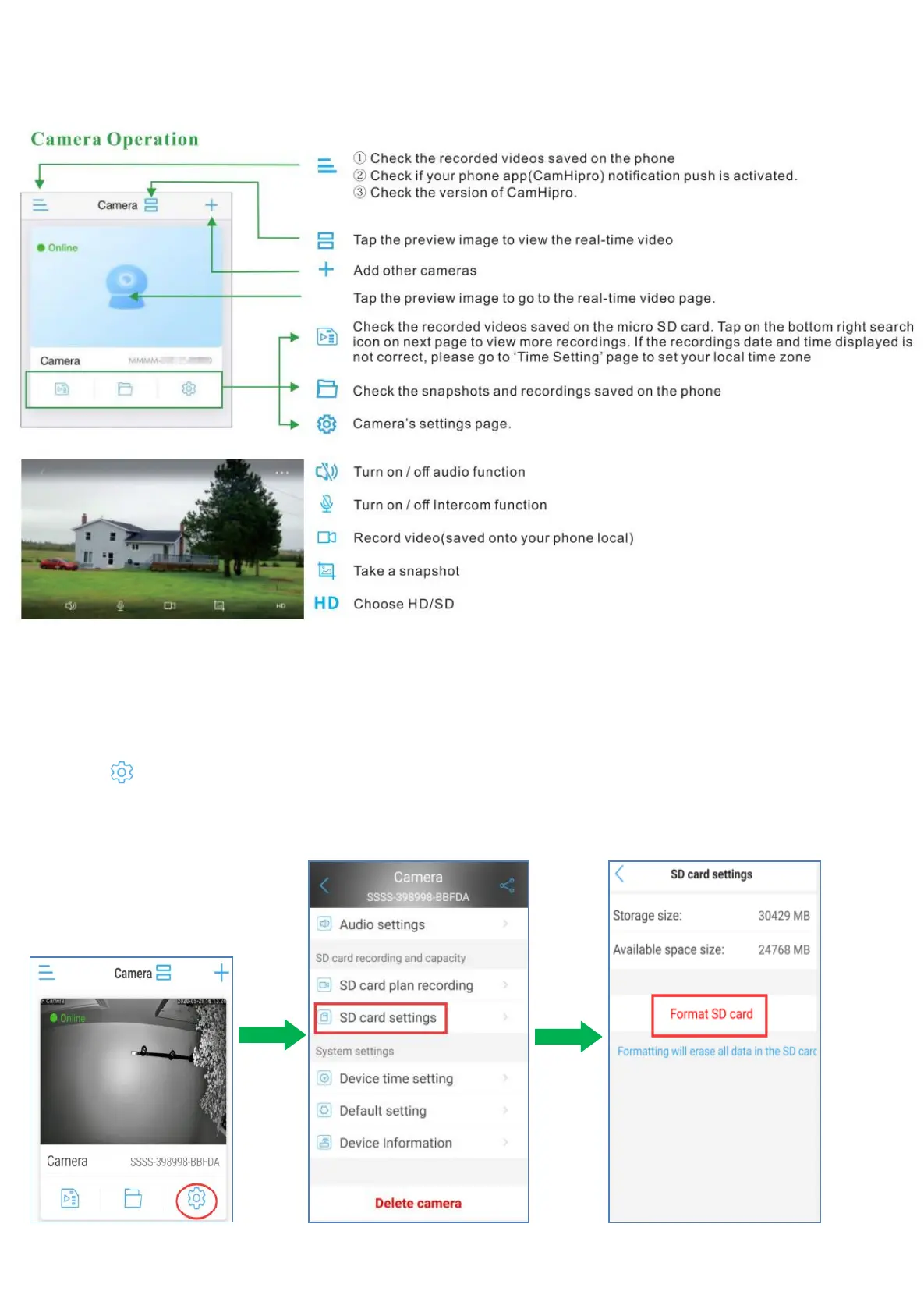
5.4 APP Function Introduction
5.4.1 Camera Interface introduce
5.4.2 SD Card Setting
a. Click icon,go to the camera setting page.
b. Please click ‘SD Card Setting’ on the main menu interface. And then you can check the storage space
information of the SD card. Or Format the SD card. Please remember to back up the data before
formatting the SD card.


 To Next Page