5.4.3 Time Setting
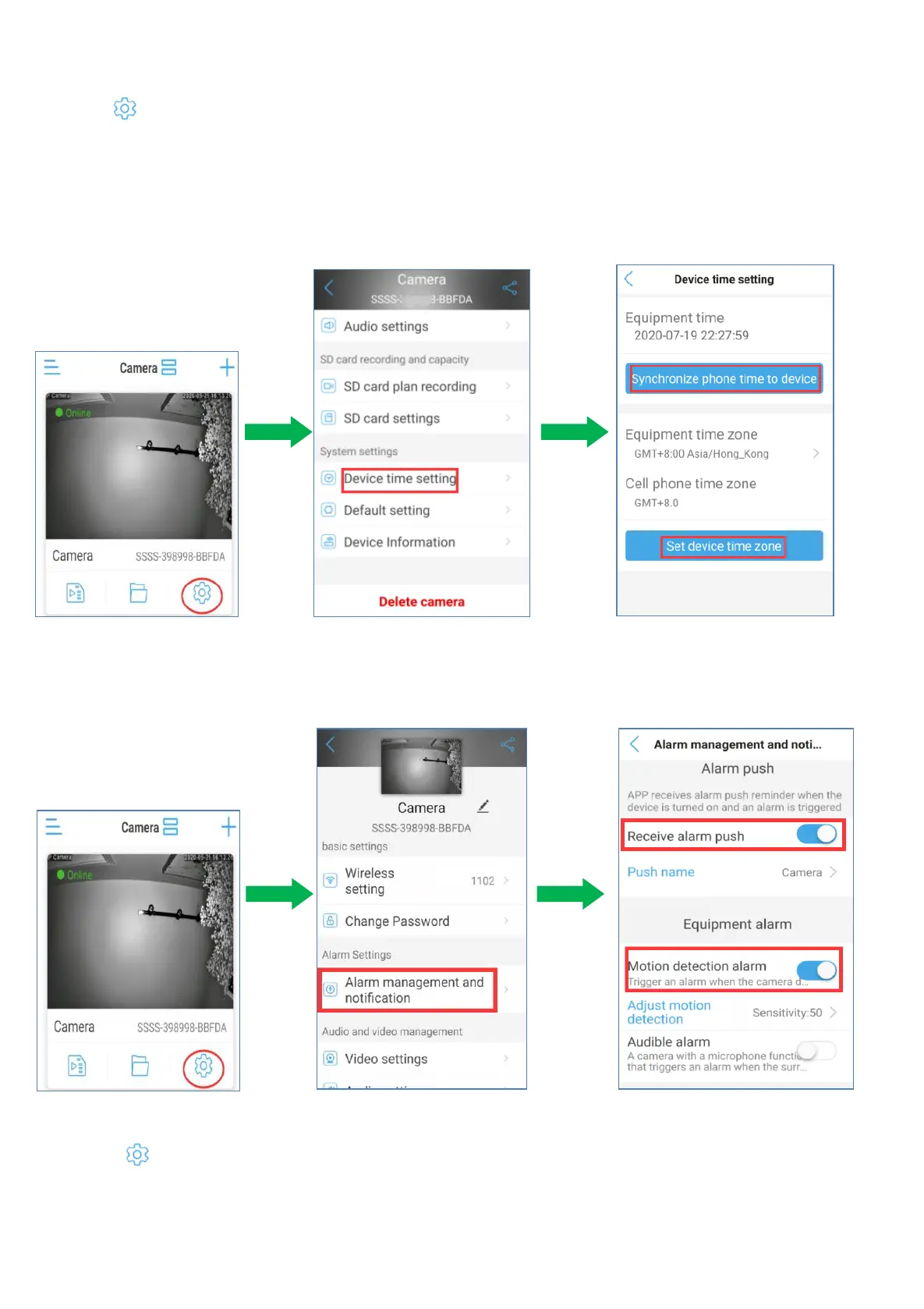
a. Click icon,go to the camera setting page.
b. Please click ‘Device Time Setting’ on the main menu interface. And then you can click on ‘Sync phone
time to device’ to make the device time zone the same as your phone’s time setting. And you need
choose to set up ‘Device Time Zone’ same as your time zone. And select the ‘Daylight Saving Time (DST)
according to the season time of the year.
5.4.4 Camera Alarm Setting (Enable phone notification push function)
a. Click icon,go to the camera setting page and tap ‘Alarm management and notification’
b. Enable ‘Receive alarm push’ to push alarm notification to your phone.
c. Enable ‘Motion Detection alarm’ and adjust the sensitivity of motion detection.


 To Next Page