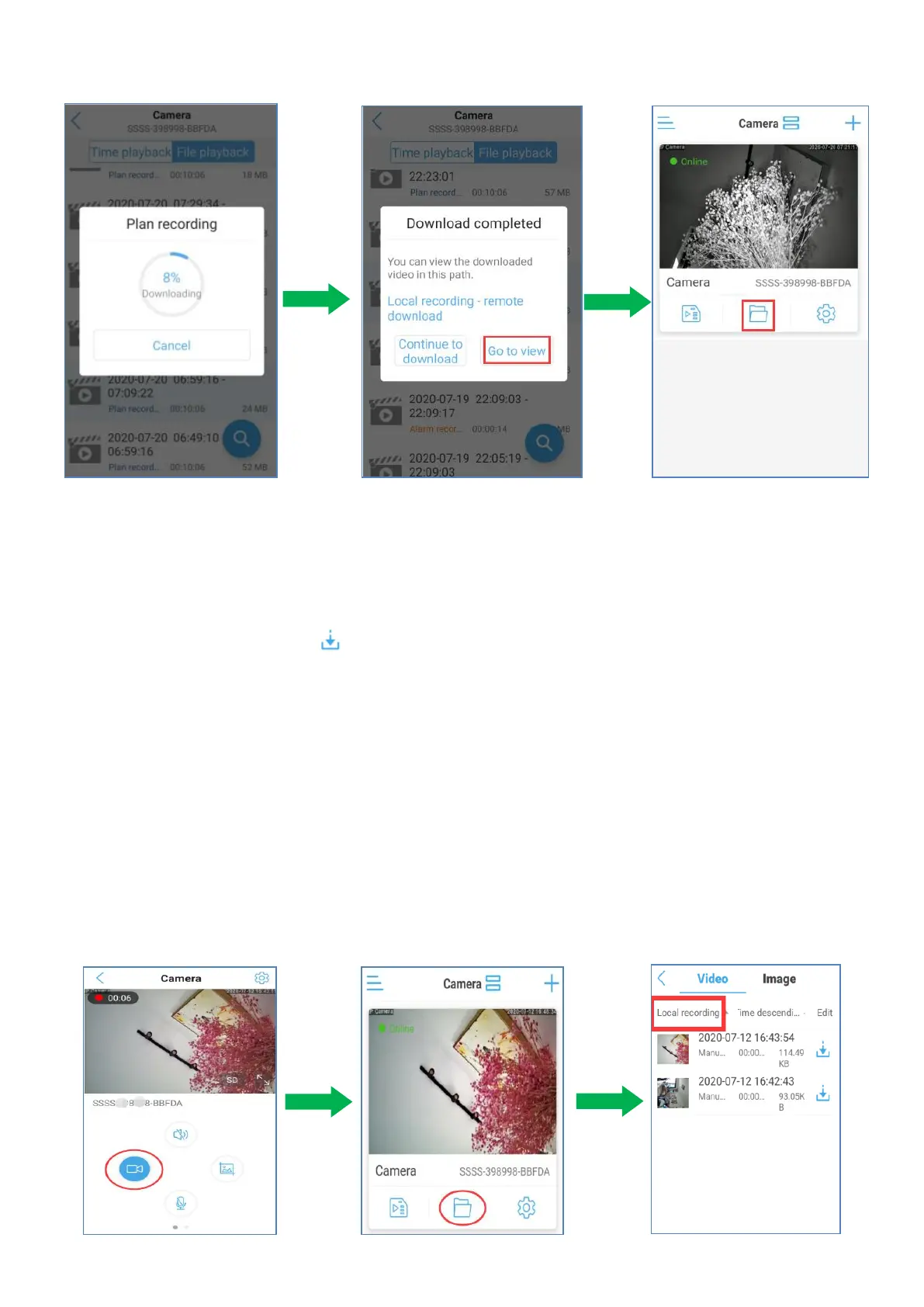
e. Go to the recording file folder to check the downloaded recordings. Choose ‘Video’ on
the top. The remote recording and local manual recording will be saved here.
Please choose “remote download” and you will find downloaded plan recordings.
h. If you want to convert the video format to MP4 format, please kindly follow the
image instruction.Click “ ”icon and choose “determine”.Then the recording
shall be viewed in the album or file manager.
5.4.6 Watch and Playback the local recordings saved on your phone
When you manually record to the phone,You can go to the local file folder and check the manual
recordings.
Go to the recording file folder to check the downloaded recordings. Choose ‘Video’ on the top.
The remote recording and local manual recording will be saved here.Please choose “Local
recording” and you will find it.


 To Next Page