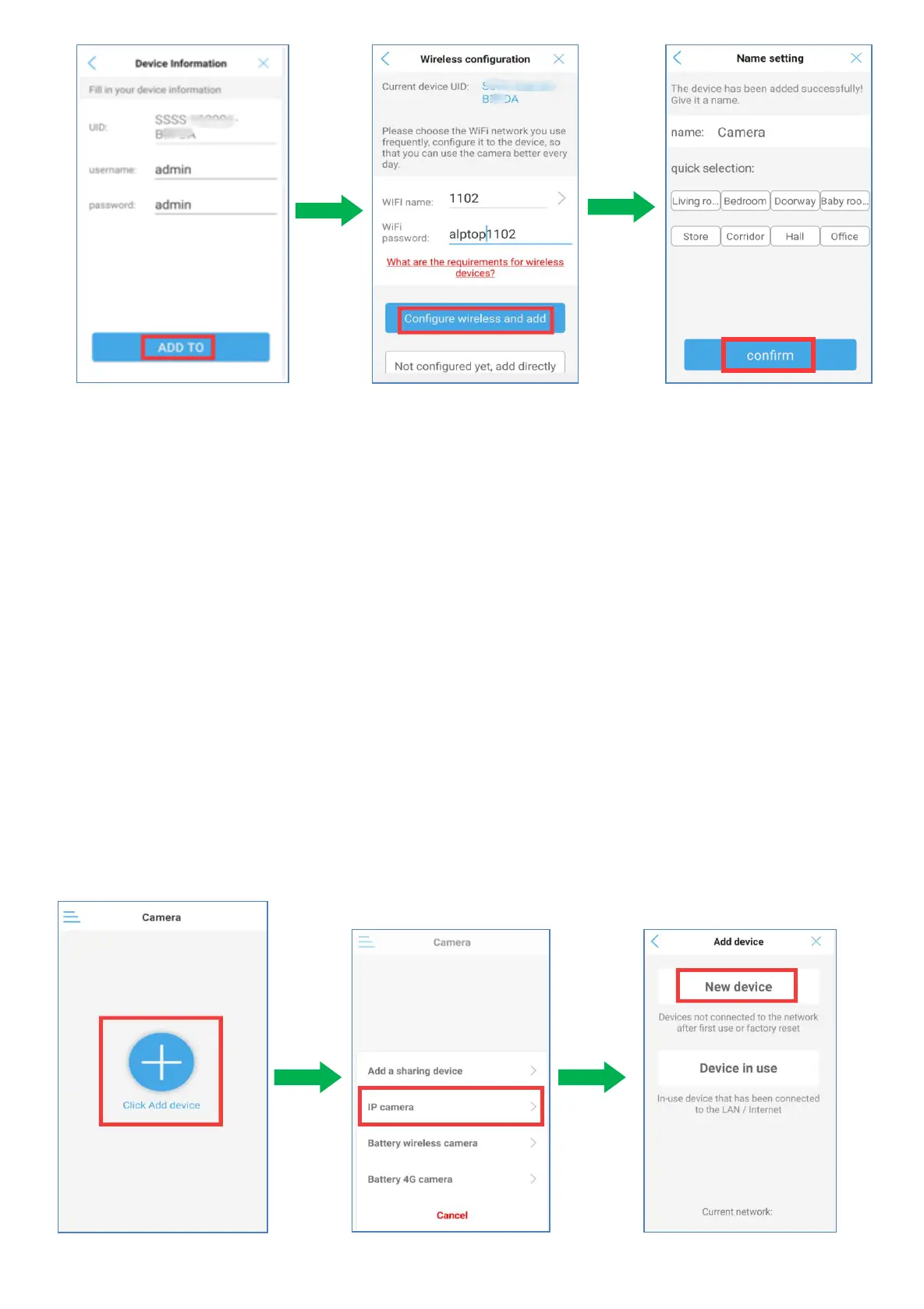
8.Tap “ADD TO”.
9.Choose 2.4ghz WiFi name and input your WiFi password, tap " Configure wireless add directly”
10.Select or set a name for your camera, then tap 'confirm'.
The device has been added successfully.You can tap confirm and go into camera interface.
5.3 AP Mode Configuration (Connect Hot-Spot) For Android device
When there is no visible router with network cable port for configuration, please apply the AP mode
to configure the camera with your local WiFi network.
1) Enable the Phone's GPS function.
2) Have camera powered, don’t connect the network cable.
3) Please reset the camera by pressing the camera reset button for 10s.
4) Open CamHipro APP.
5) Tap “Click Add device” Tap “IP camera” Tap “New device”


 To Next Page