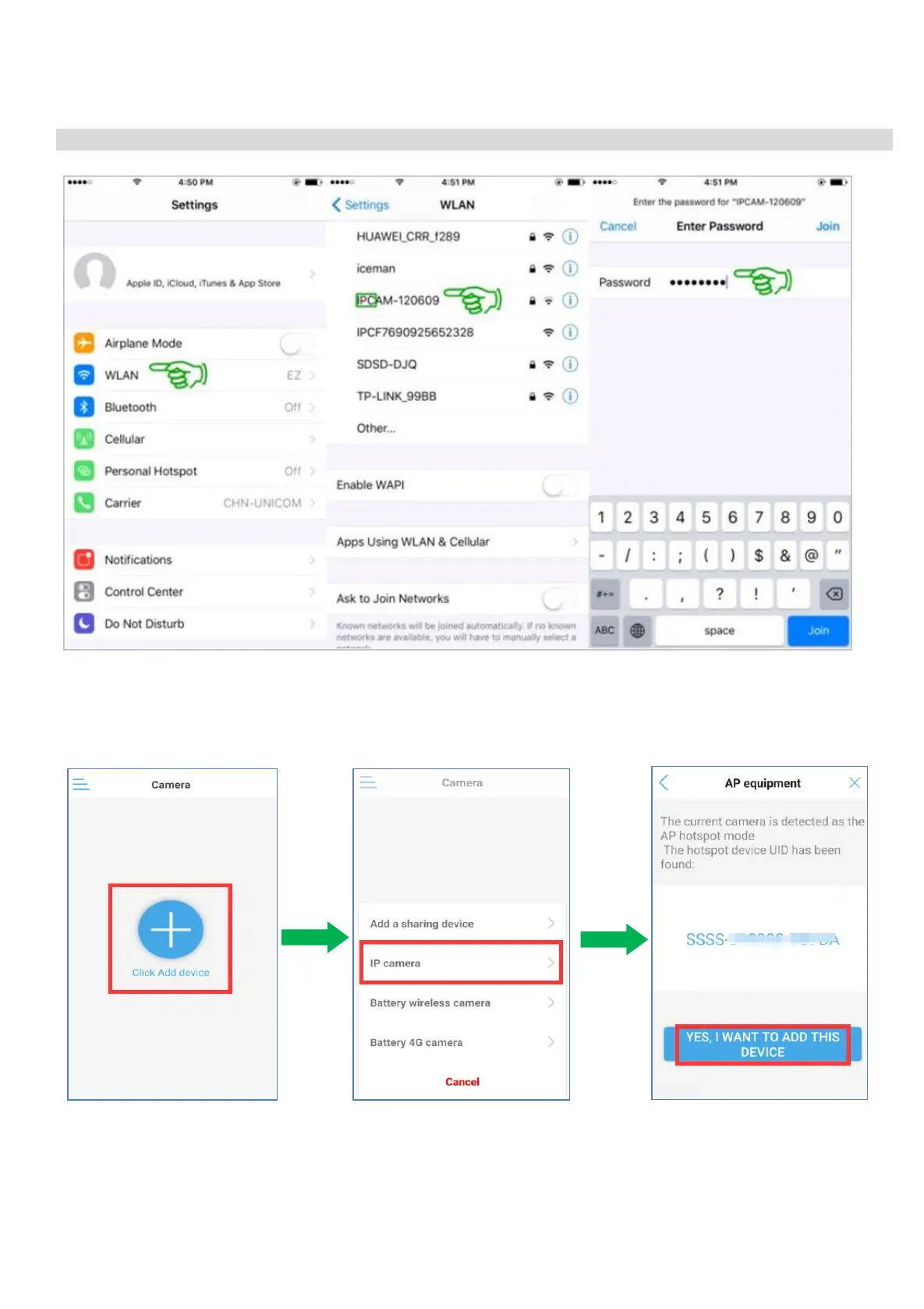
4) Wait for about 30s, Please kindly click ‘Setting’ on your phone - Click ‘WLAN’ - Choose the WLAN
with the name starts with ‘IPCAM-XXXXXX’ - Insert the default password ‘01234567’ - Click ‘Connect’.
And your phone has been connected the the camera's Wi-Fi Hotspot now.
Note:
Name of SSID: IPCAM-XXXXXX Default password: 01234567
5) After confirming your phone has been connected to the camera’s WiFi Hotspot.
6) Open the CamHipro APP.
7. Tap “Click Add device” Tap “IP camera” The hotspot device UID will be
found,Tap “Yes,I WANTTO ADD
THIS CAMERA”


 To Next Page