6. Computer Browsing Access
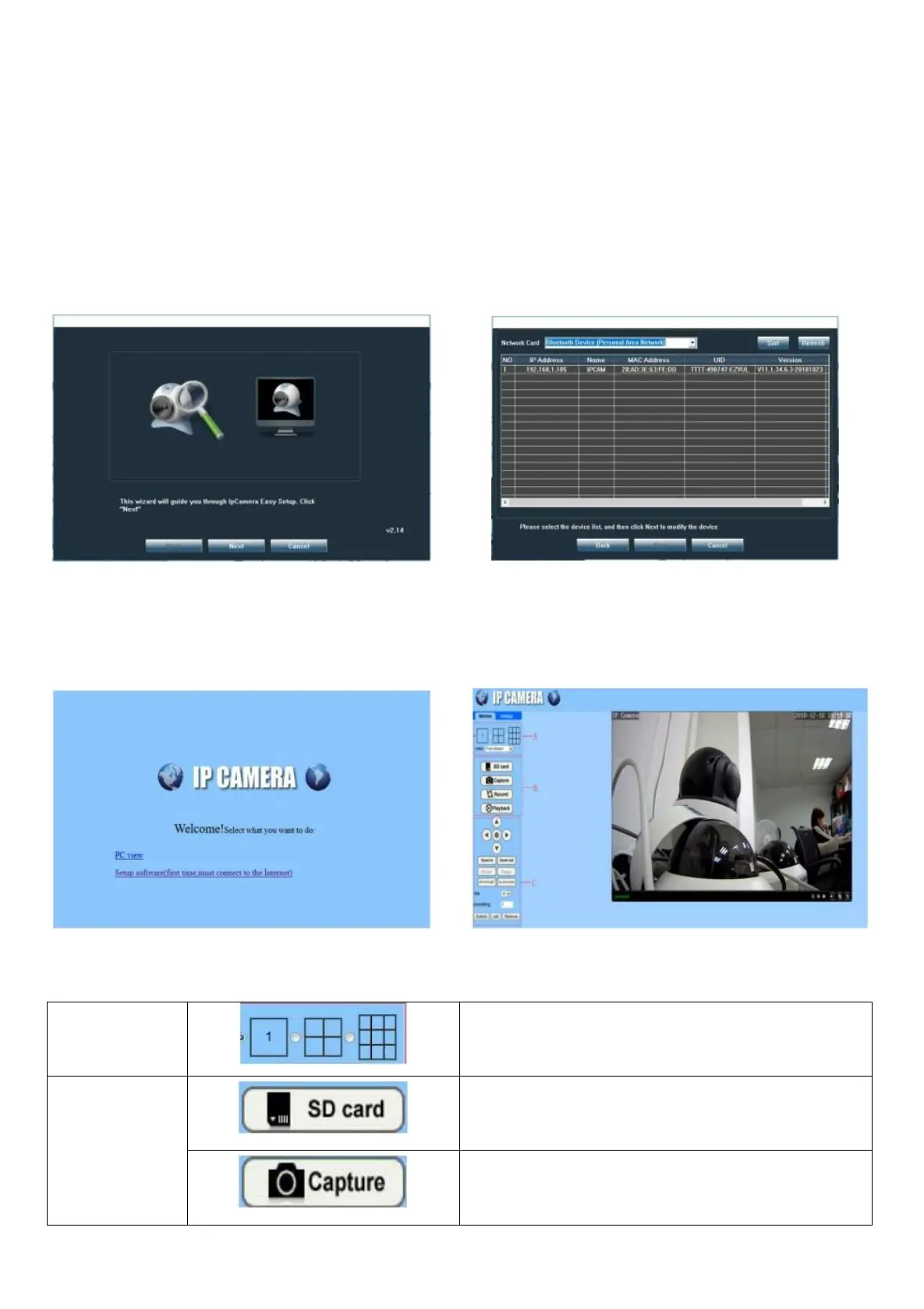
6.1 Search IP Camera
Go to our website www.alptopsecurity.com –Go to SUPPORT----AT-100BW/200BW/500BW,AT-200PW/DW/TW,AT-
500PW/DW/TW—Software---download the search tool.
Open the file and install search tool in your computer. Click “next” to find IP camera. You can select Network
Card to search IP Camera.
6.2 View Video by Browser
Support IE, Google and Firefox browser, install ActiveX before view video.
Default account and password is admin/admin
6.3 Interface
View memory card capacity and date.
Click on the capture and take the current image.


 To Next Page