23
4.Operation (continue)
Be sure to read and understand on the page 3 to 7 “For safety operation” carefully before use
Mode setting
Select the mode of “oil” or “soluble” due to the type of the collecting mist. Select “oil” or “soluble” according to the
type of the mist. If the object substance is oil mist , high density and spark discharge occurs frequently, select 90% of
oiliness. If the object substance is soluble mist and leak the soluble mist from exhaust port, select the soluble110%.
The setting cannot be changed during operation.
Be sure to set after stopping the operation.
●
1 Changing the mode setting
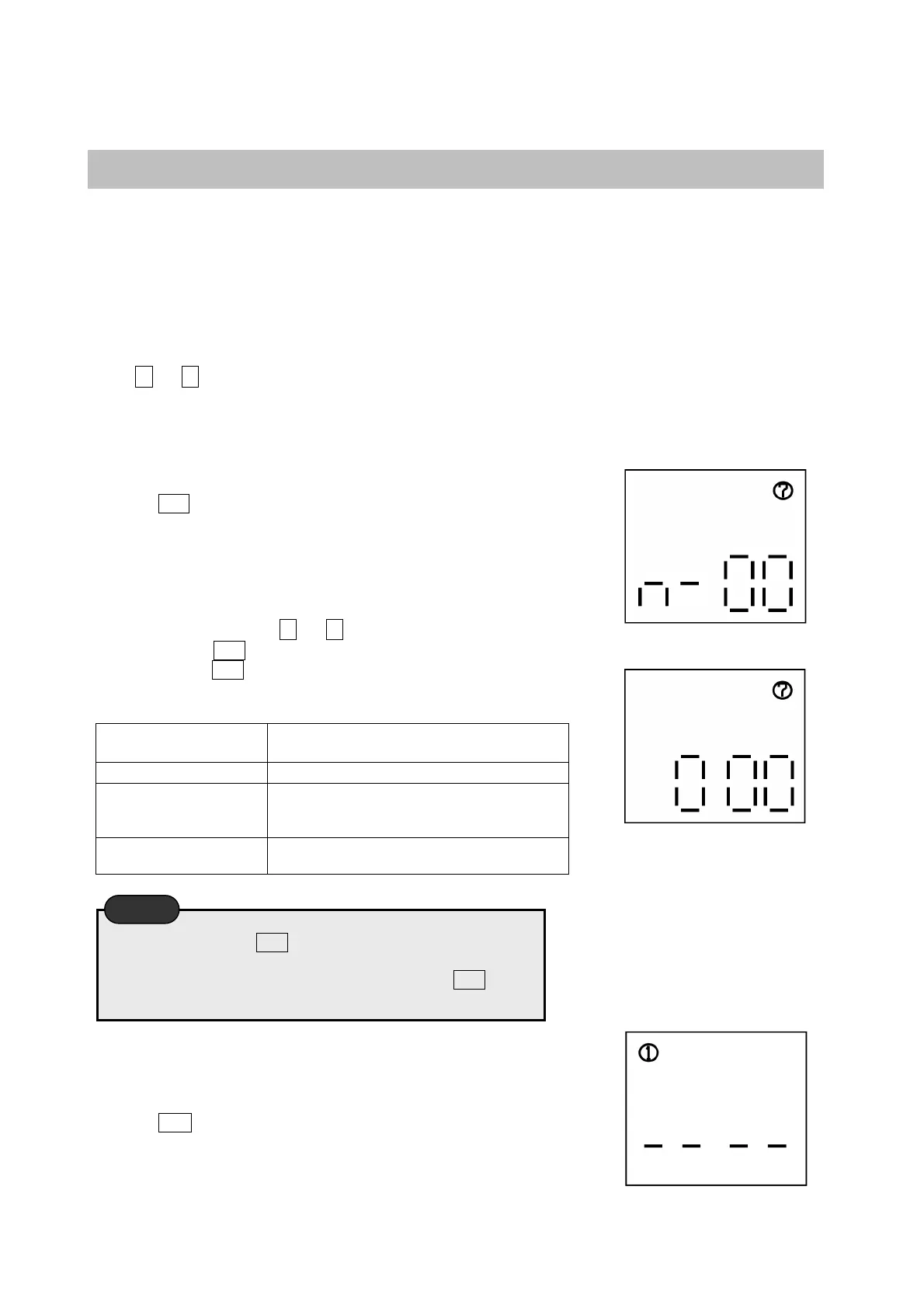
Press △ or ▽ switch to make ⑦ appear in the top right corner in the
mode setting display.
●
2 Making flash the top-right icon “⑦”
P
ress the SET switch to blink ⑦ of the top right corner.
●
3 Changing the setting
During blinks of ⑦, press △ or ▽ switch to appear n-00 on the
display. Press the SET switch to appear『000』 in display. After the
setting, press the SET switch. At the time of registration, the buzzer
sounds.
000・・
・Oil 100%
(Default)
In case of collecting oiliness mist
001・・・Soluble100%
In case of collecting soluble mist
002・・・Oiliness 90%
In case that the suction density of oil mist
is high and spark discharge frequently
occurs.
003・・・Soluble110%
In case of leaking the soluble mist from
exhaust port
●
4 Back to the top
Press the ESC switch to back the display condition as suggested in the right.
Be sure to press the SET switch during blinks of the icons in
display. At the time of registration, the buzzer sounds and the
setting become effective. If you forget to press the SET switch
or the buzzer does not sound, the setting is not changed.
Caution


 To Next Page