18
4.Operation (continue)
Be sure to read and understand on the page 3 to 7 “For safety operation” carefully before use
Connecting the wires for the external operation
Import
ant
●The remote operation connection wiring must be performed by the qualified electrician.
●Make su
re not to touch the electric parts except specified ones. Failure to do so could cause malfunction.
●Before opening the electric component cover of the control panel, wait 20 seconds after you have turned
off the power on the primary side. Otherwise, it could cause electric shock or short circuit because the
high voltage equipment is inside the electronic pa
rt.
●Make su
re to use the external signal wire alone. The cable used for remote control cannot be used
together with the cable of the signal output terminals and power cord (refer to the next page) by sharing
one multi-core cabl
e.
●Use a shiel
d cable if the remote control takes place near to the noise source, or lay the cable in a meta
l
conduit.
●In
put the one-shot signal 500ms and over (0.5seco
nds).
●A
maximum of 10m wiring extension is allowed for the external-controlled ope
ration.
●The
DC 12V 10mA signal will be output from the terminal block.
●No-volt contacts shall be used in wire connection for the external controlled ope
ration.
●Als
o refer to the wiring diagram. (at the P.52
)
●Use wi
ring, switches, relays meeting to the specifications below.
<Wiring materials>
<Push-button switch> <Relays>
I
tems Specifications Ite m Spe cif icati ons Item s Specifications
Wire type Sheath wire
Contact
capacity
1A(min.)
Contact
capacity
1A(min.)
Conductor
cross section
0.5~
0.75mm
2
Withstand
voltage
DC 30V(min.)
Withstand
voltage
DC30V(min.)
Withstand
voltage
300V(min.)
Minimum
applicable load
DC12V 10mA
and under
Minimum
applicable load
DC12V 10mA
and under
●
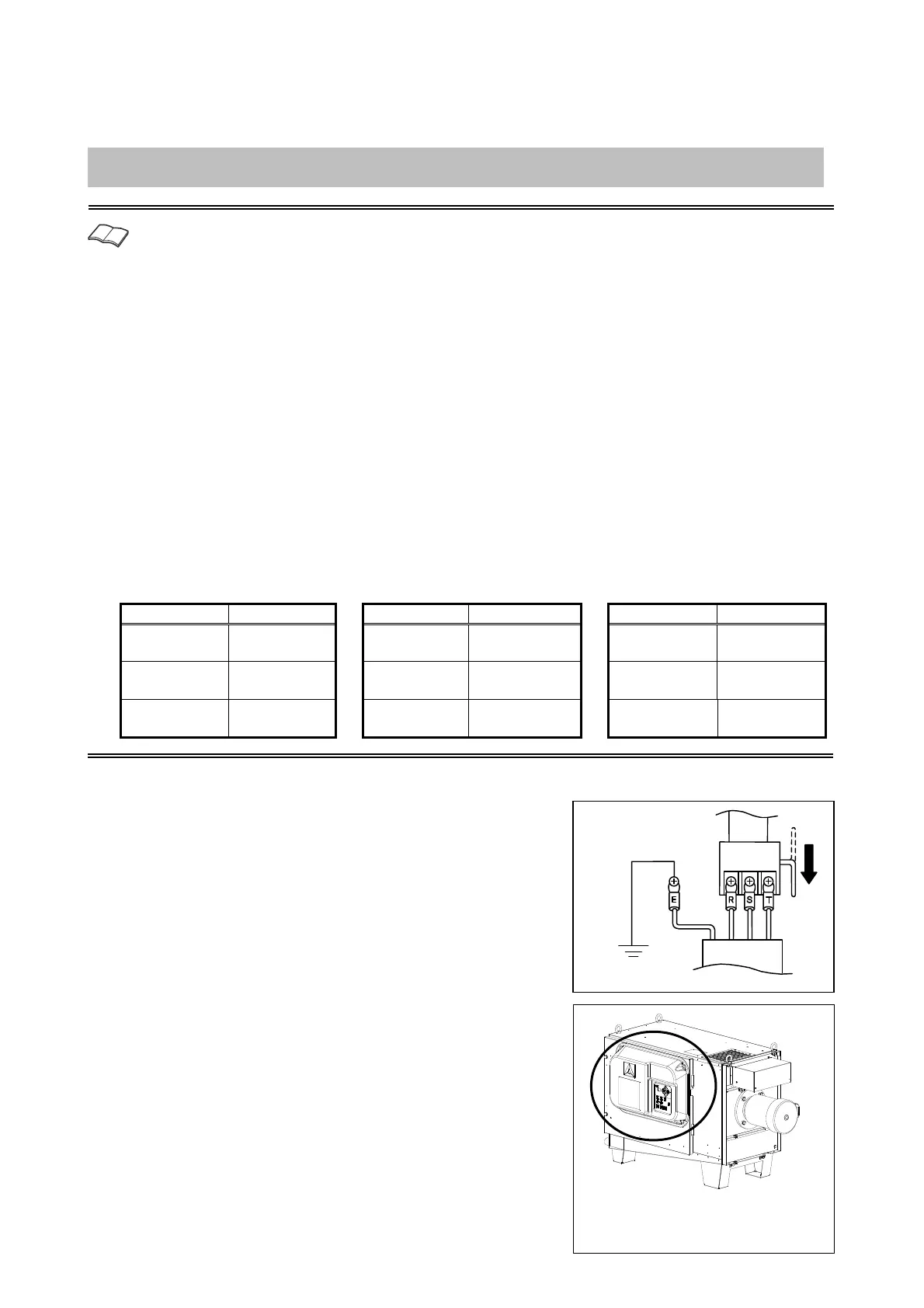
1 Turning off the switch
Be sure to turn of
f the circuit breaker for preventing electric shock.
●
2 Remove the electrical equipment cover
Wait 20 seconds, remove the four fasting screws from the electric
component cover, and remove the cover.
fter turning off the circuit breaker o
the power distribution panel, remove
the electrical equipment cover.
Earth
Circuit
breaker
Switchboard
Power cord


 To Next Page