29
5. Maintenance (continue)
Be sure to read and understand on the page 3 to 7 “For safety operation” carefully before use
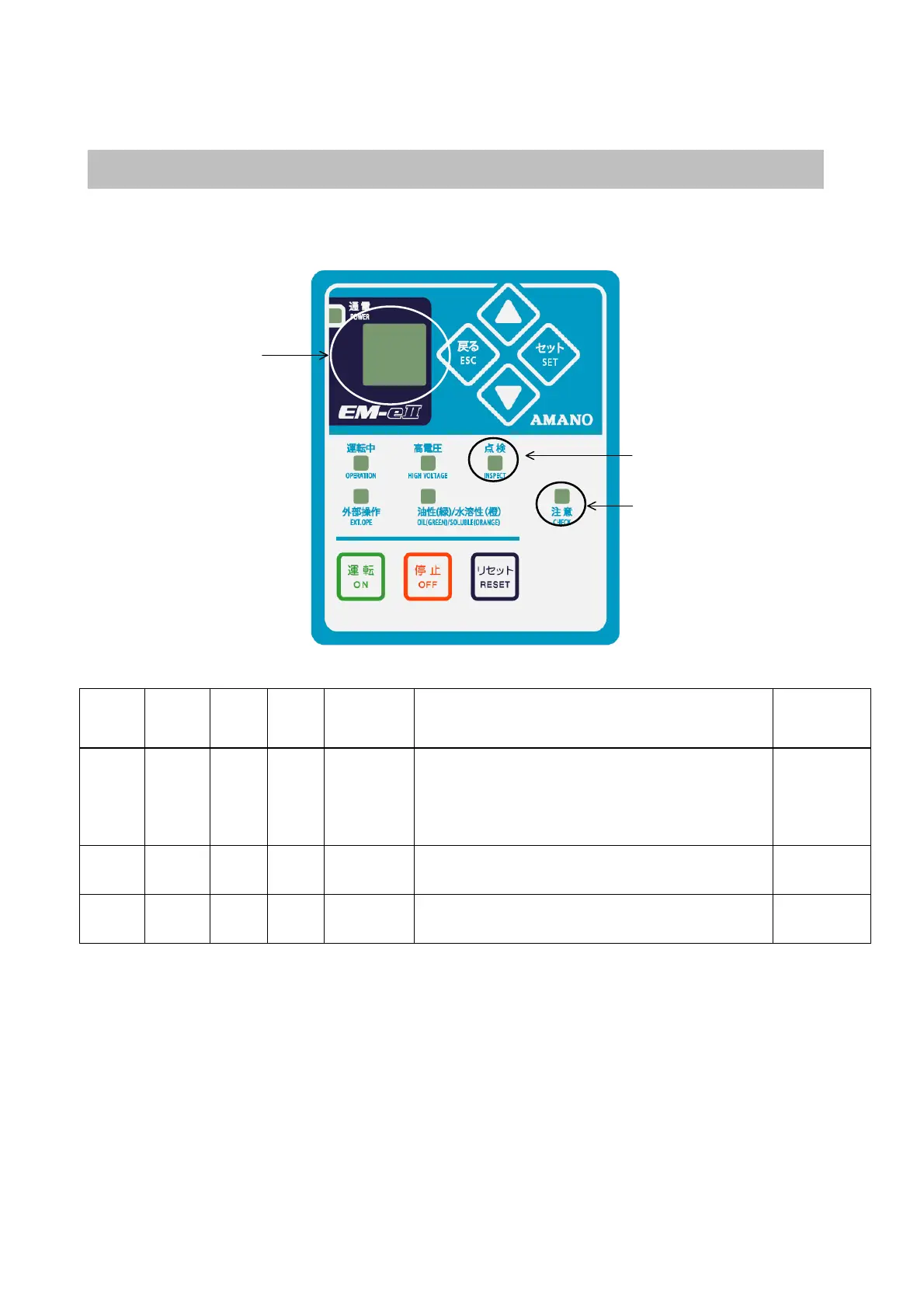
Error message display
When the error classification is WARNING, the product continues operating. When the error classification is STOP, the
product stops operating. If the error is displayed in message window during operation, follow to the next instruction.
Display
Caution
lamp
Inspec
tion
lamp
Alarm
contact
output
Contents Cause and coping strategy
Error
classification
Hour Lighting ― OFF
Error of the
maintenance
timer
・When getting to the time of maintenance operation
→Inspect the eliminator, the charging electrode, the
collecting electrode and inside the collector.
→After inspecting the collector, press the reset switch
to reset the maintenance timer.
Danger
Er01 Lighting
―
OFF
Charging
electrode
Spark error
・Increase the spark discharge by charging electrode.
→Inspect the charging electrode.
Danger
Er02 Lighting
―
OFF
Collecting
electrode
Spark error
・Increase the spark discharge by collecting electrode.
→Inspect the collecting electrode.
Danger
※The instruction of the error message display is on the next page.
Type of error is displayed
in the display.
The lamp lights when the erro
classification is WARINING.
The lamp lights when the
error classification is STOP.


 To Next Page