15
EN
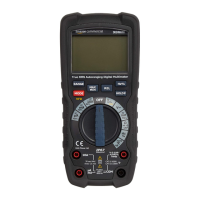
• To switch the product off, set the function
switch (E) to the OFF position.
Automatic power OFF
• In order to conserve battery life, the product
automatically emits a beeping signal that the
product has been idle for 15 minutes. Right
after 1 minute, the product turns off.
• To turn the product on again, press any button.
• When “automatic power off” is enabled, the
indicator (5) is shown on the display (A).
• To deactivate “automatic power off”, press
and hold the MODE button (D) while switching
the product on. The indicator (5) does not
lightup.
Switching the display backlight on/off
• Press and hold the HOLD / button (J) to
switch the display backlight on/off.
Display hold
• To freeze the display reading, press the HOLD /
button (J). The H indicator (1) lights up.
• Press the HOLD / button (J) again to return
to normal operation.


 To Next Page