28
EN
• Press the MODE button (D) to switch to diode
test mode. (11) should light up on the
display(A).
• Place the test probes (N) across the diode
being measured.
• If the diode was measured in reverse, the
display(A) shows OL. Reverse the probes (N)
position to get the correct polarity.
NOTICE
Forward voltage typically indicates
0.4 to 0.7V. A shorted diode indicates near 0V
and an open diode indicates OL in both polarities.
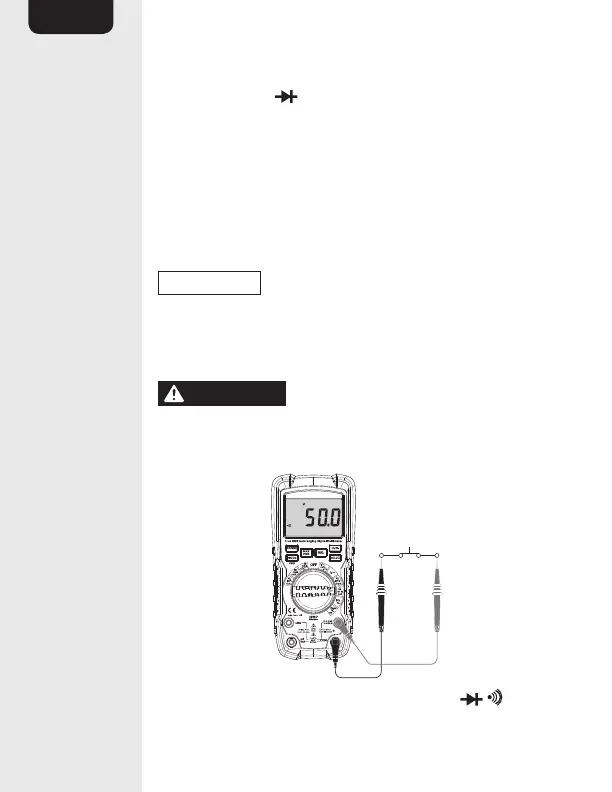
Continuity check
WARNING
Risk of electric shock. To avoid
electric shock, never measure continuity on circuits
or wires that have voltage on them.
• Set the function switch (E) to the Ω CAP
position.


 To Next Page