22
EN
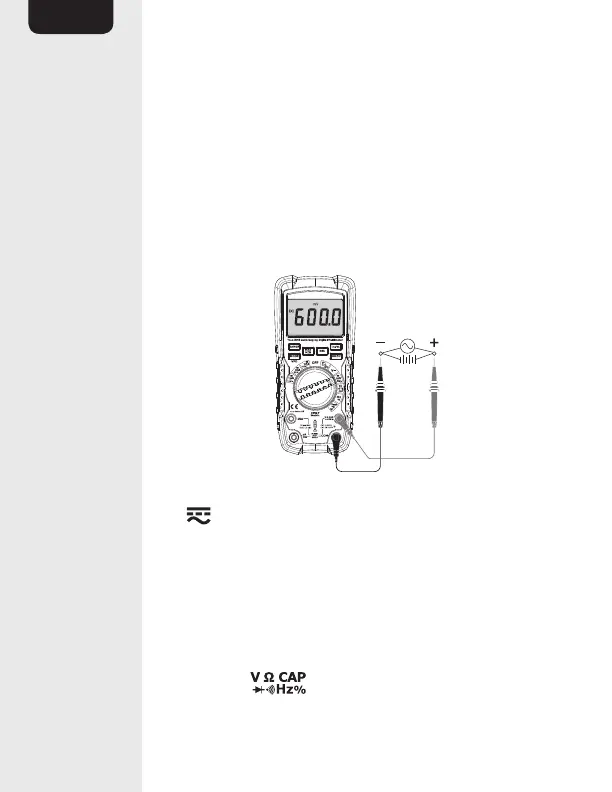
• In AC voltage measurement mode, press the
Hz/% button (I) twice. % (percent) lights up.
• Connect the test probes (N) in parallel to the
circuit or component being measured.
• The stabilized value on the display (A) is read as
the actual reading.
Voltage measurements (mV)
• Set the function switch (E) to the
mV Hz % position.
• Press the MODE button (D) to switch between
AC and DC mode. AC (13) or DC (14) lights up.
• Insert the black connector lead (N) into the
negative COM input jack (L)
• Insert the red connector lead (N) into the
positive input jack (K).


 To Next Page