24
EN
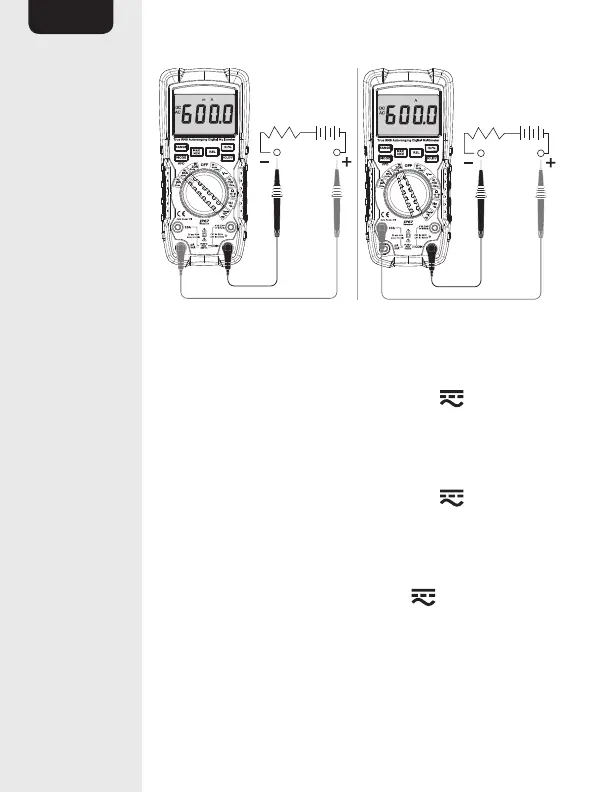
• Insert the black connector lead (N) into the
negative COM input jack (L).
• For current measurements of up to 6000μA,
set the function switch (E) to the μA Hz %
position and insert the red plug connector lead
(N) into the μA/mA input jack (G).
• For current measurements of up to 600mA,
set the function switch (E) to the mA Hz %
position and insert the red plug connector lead
(N) into the μA/mA input jack (G).
• For current measurements up to 10A, set
the function switch (E) to the 10A Hz %
position and insert the red connector lead (N)
into the 10A input jack (F).
• Press the MODE button (D) to switch between
AC and DC mode. AC (13) or DC (14) lights up.


 To Next Page