Operation
13
AMADOS
+
DB 1001 01.04
4.2.1 Implement type and implement
equipment
I
Carry out all enterings regarding the
implement type and implement equip-
ment (Mode "1" to"6") only with a dis-
connected implement plug.
1. Switch on AMADOS
+
with a disconnected im-
plement plug.
I
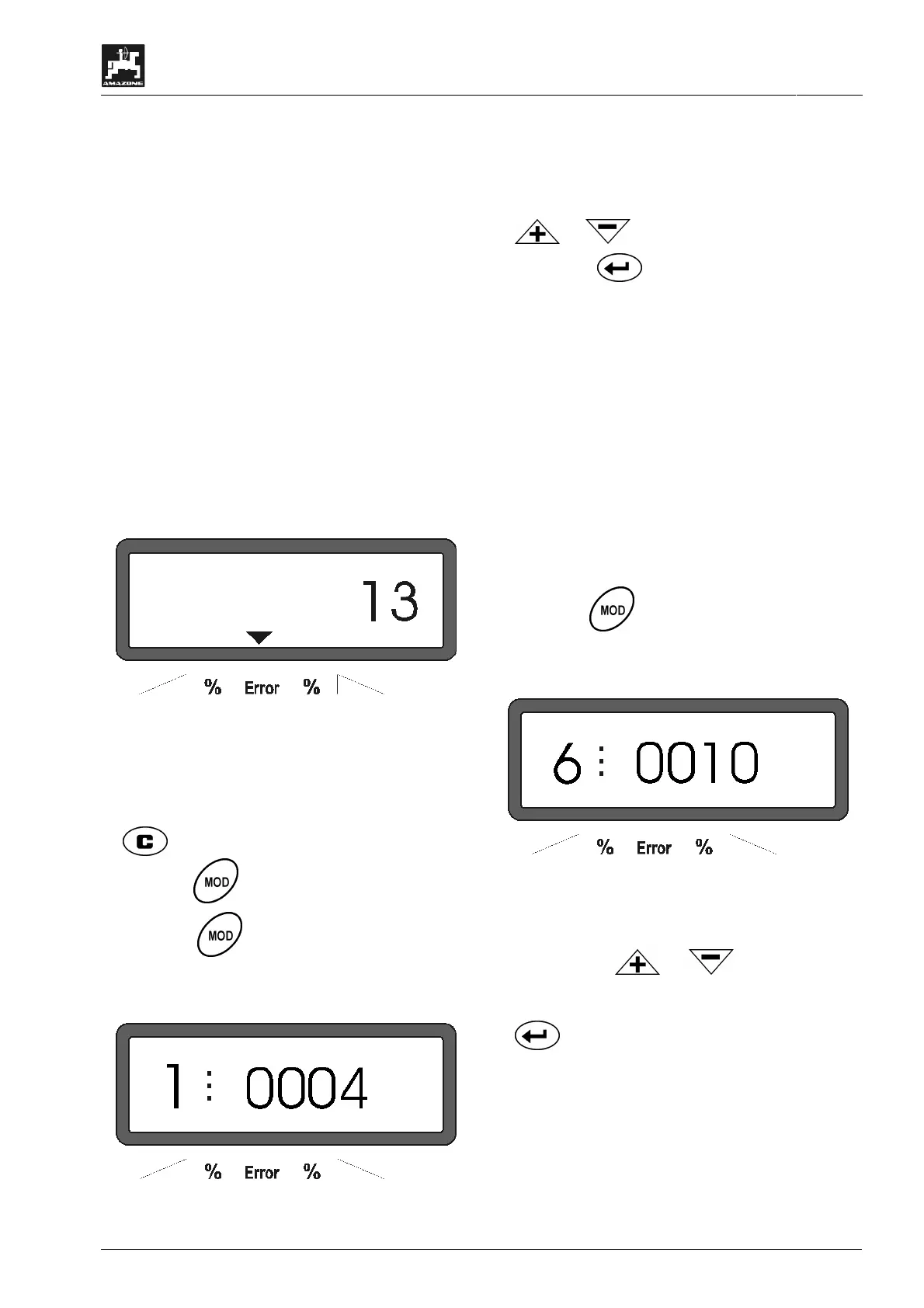
Initially the display shows the program
entering date. For the following period of
approx. 10 seconds then no entry is
possible. Thereafter automatically the
error message "13" is shown. After a
waiting time of approx. 15 seconds the
mode "1" can be dialled.
Display with error report "13"
2. Mode "1", choosing the implement type
Press Mode "1" and dial the code "machine type" for
the relevant implement type.
- press, keep pressed and simultaneously
press key
and hereby release the entering.
- Press key (if necessary several times) and
dial mode "1".
Display after mode "1" has been dialled
The first digit shows the chosen mode "1", the second
the coding for the chosen machine type – for cen-
trifugal broadcasters coding "0004".
- Dial the coding "0004" on the display via the keys
or.
.
- Press key and hereby store the dialled
value "0004".
3. Mode "2-5,7"
I
When operating with the fertilizer broad-
caster the modes 2 to 5 are vacant and
thus must not be chosen or changed.
4. Mode "6", intended average operational speed
AMADOS
+
required the entering of the "intended
average operational speed" for the procedure "de-
termining the fertilizer calibration factor".
- Press key (if necessary several times) and
dial mode "6".
Display after mode "6" has been dialled
The first digit shows the chosen mode "6", the second
the average forward speed in [k.p.h.] – e.g. "0010" for
10 k.p.h..
- Via the keys or
dial the intended
average operational speed on the display, e. g.
"0010" for 10 km/h.
- press and thus store the dialled value
"0010".



 To Next Page