20
Operation
AMADOS
+
DB 1001 01.04
4.3.3 Function keys and their use during
the spreading operation
By pressing one of the following function keys the
wanted value will be displayed for approx. 10 sec-
onds during spreading operation. Thereafter
AMADOS
+
automatically returns into the "operational
display”.
4.3.3.1 Hectare meter
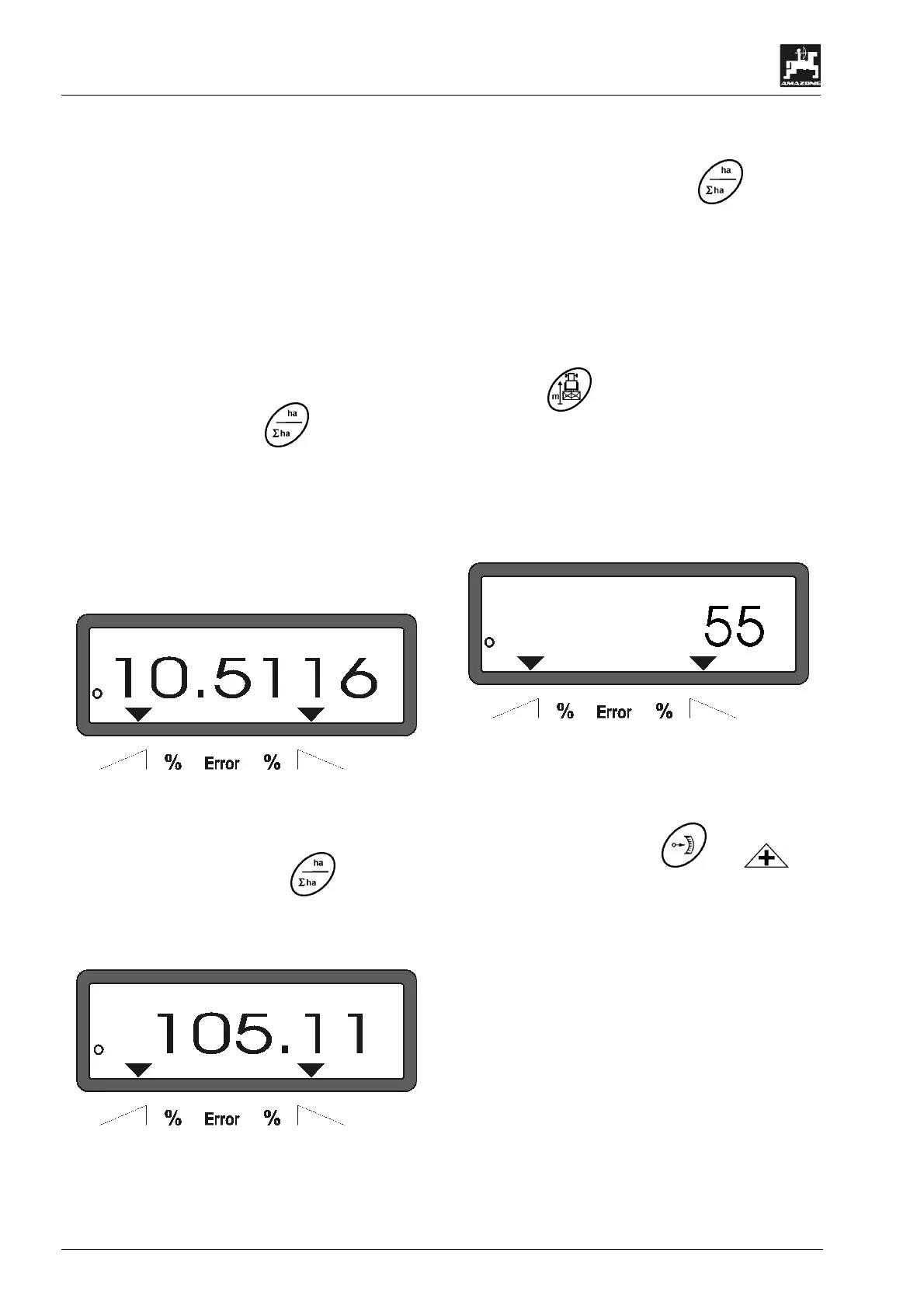
1. Part area – hectare meter
After one time pressing key
the covered part
area in [ha] is displayed, which has been covered
since actuating the "start function".
)
Only the covered area will be determined
at which the fertilizer broadcaster is –
operating position.
Display after one-time pressing the key
2. Total area – hectare meter
After two-times pressing the key
the total area
in [ha], e.g. of one season, is displayed..
Display after two-times pressing the key
3. Manual change into the "operational display"
After three-times pressing the key
the display
immediately changes to the "operational display".
4.3.3.2 Part distance counter
The part distance counter determines the distance
covered during the turning manoeuvre on the head-
lands.
- Press key and start the part distance.
After pressing the key the display shows the covered
distance in [m] continuously determined. After the
transition into the operation position this display van-
ishes after approx. 10 seconds.
Display after pressing the key part distance
4.4 Emptying the hopper
- Stop the implement and open the hydraulic rams.
- Simultaneously press key and until
both shutters are completely open.



 To Next Page