Operation
15
AMADOS
+
DB 1001 01.04
4.2.4 Calibrating the distance sensor
For determining the actual forward speed AMADOS
+
requires the calibration value "Imp./100m", which
sensor "X" releases to AMADOS
+
when driving down
a calibration distance of 100 m.
I
The calibration figure "Imp./100m" may
never be smaller than "250", as other-
wise AMADOS
+
does not operate prop-
erly.
For entering the calibration value "Imp./100m" two
possibilities are given:
• the calibration value "Imp./100m" is known and is
dialled via the key board.
• the calibration value "Imp./100m" is not known and
will be determined by driving down a pre-
measured distance.
I
As the calibration figure "Imp./100m" is
ground related, it is, in case of soil types
heavily deviating from one another, rec-
ommended to determine always newly
the calibration figure by driving down a
pre-measured distance.
1. The calibration value "Imp./100 m" is known:
- Press key when tractor is stopped.
- Dial the known calibration value "Imp./100m" via
the keys
or .
- Press key
and thus store the dialled cali-
bration value.
- Once again press key. to check the stored
calibration value. On the display now the chosen
calibration value should appear.
I
In case of deviations between
•
the spread rate and the actually
worked area
• the worked area determined and dis-
played by AMADOS
+
worked area
newly determine the calibration figure by
driving down a calibration distance of
100 m (please refer to chapter 4.2.4
item° 2).
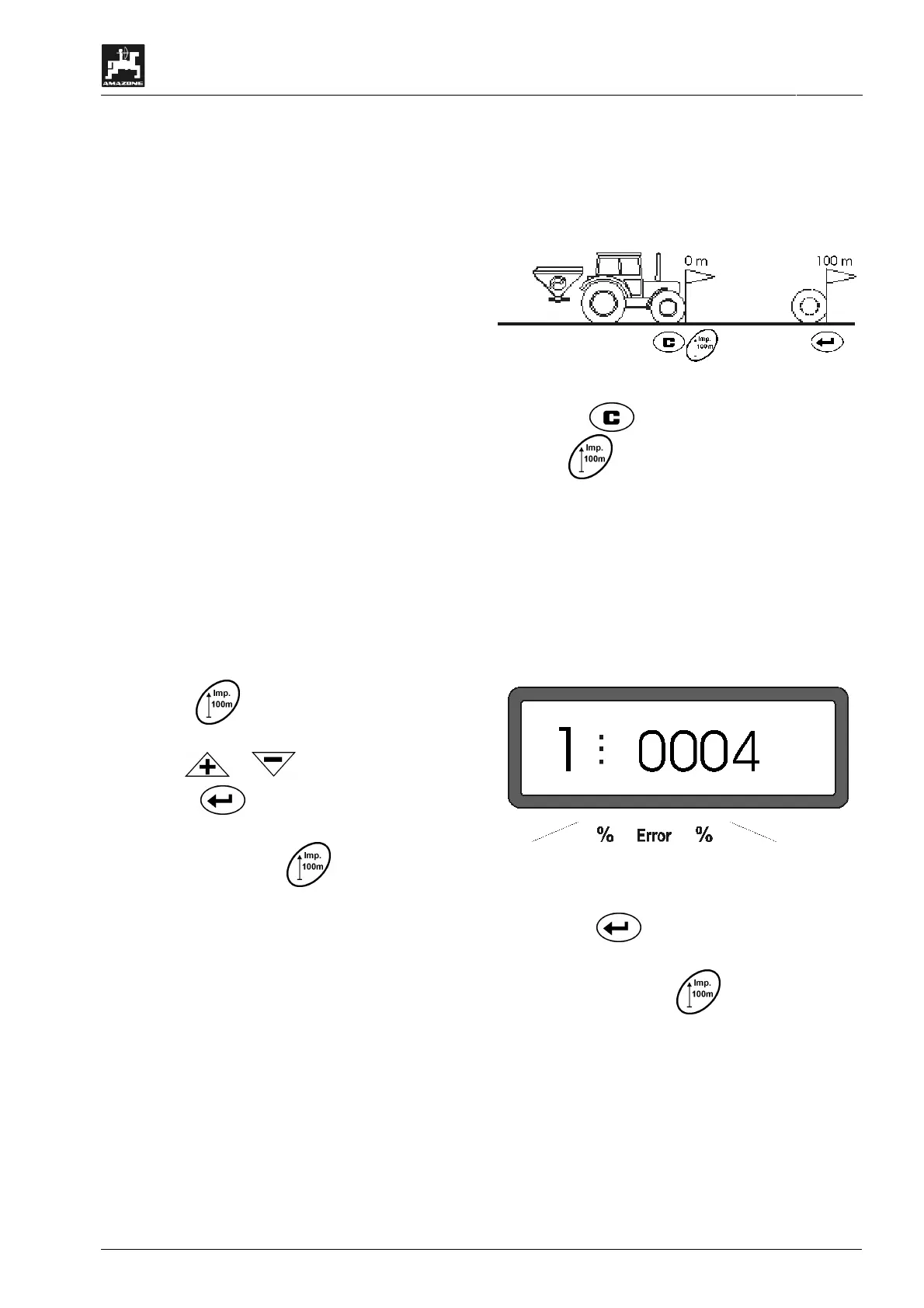
2. The value "Imp./100 m" is unknown:
- Accurately measure out in the field a calibration
distance of 100 m. Mark the starting- and ending
point of the calibration distance.
- Bring tractor in start position.
- Press key and hold it pressed while press-
ing key
.
- Travel accurately along the calibration distance
from the starting- till the ending point (when start-
ing to move, the counter returns to "0"). On the
display the continuously determined impulses are
shown.
I
Do not press any key while travelling
along the calibration distance.
Display during the calibration test
- Stop after 100 m. On the display now the number
of the determined impulses is shown.
- Press key
and thus store the displayed
determined calibration value (Imp./100 m).
- Once again press key
to check the stored
calibration value. The display now should show
the determined calibration value (Imp./100 m).



 To Next Page