14
3.8 Setting the System OFF
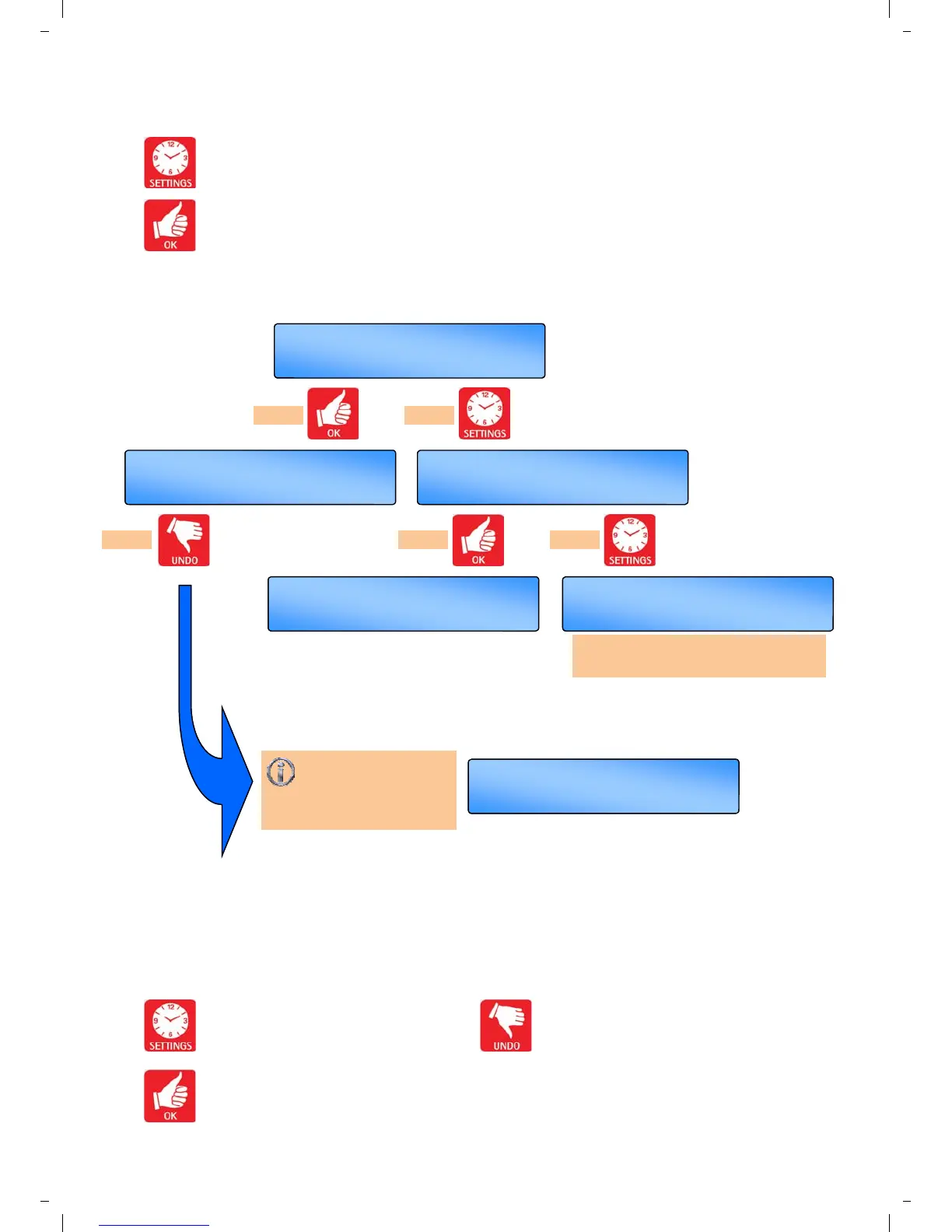
Press the SETTING button till
SET SYSTEM OFF? appears in the
display.
Press the OK button to change this user
mode.
Value to alter/confirm will start flashing.
OK =yes SET =next
SET CLOCK?
OK =yes SET =next
SET SYSTEM OFF?
UNDO = reset
SYSTEM OFF
OK =yes SET =redo
Menu End
Th 09 : 32
AUTO ON
Th 09 : 32
AUTO ON
Repeats User settings.
follow CLOCK menu
Use the SET button to advance to the
next display.
Press the OK button to accept the value
and advance to the next display.
Press the UNDO button to cancel setting
and revert to original contol.
Press UNDO at any
time to cancel
SYSTEM OFF. System will
revert to original control.
press or
press or press


 To Next Page