16
The holiday period will start at midnight on the
day that it is initiated. From then on the
‘HOLIDAY’ along with the remaining number of
days will be displayed. When the holiday period
expires the controller returns to normal
operation.
Pressing the UNDO button, at any time will
cancel the holiday period.
3.12 Setting an overtime extension period
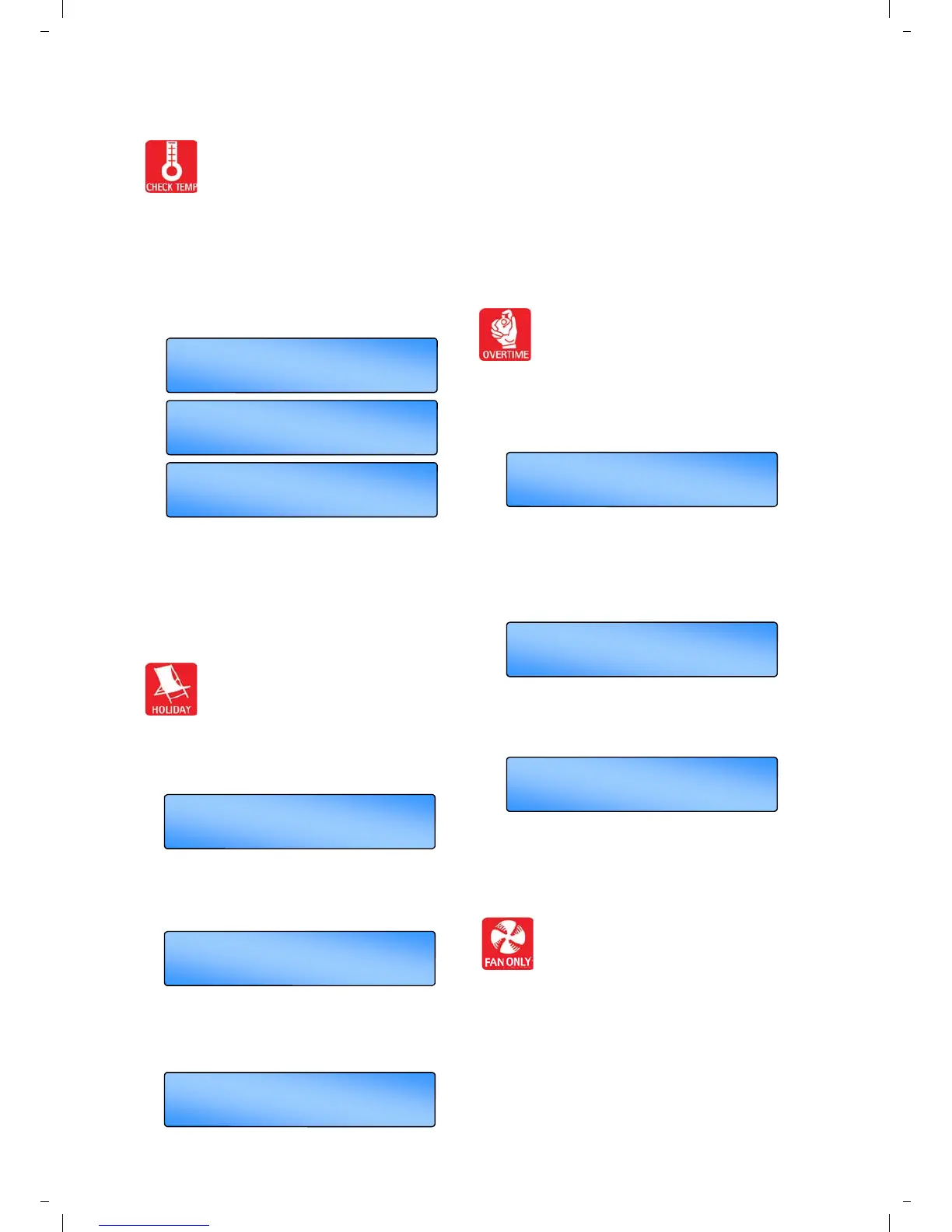
Pressing the OVERTIME button in an
OFF period will initiate or extend the
day-time operation of the controller.
Overtime is activated as follows:
Press the OVERTIME button. ‘OVERTIME’ will
be displayed and the hours and minutes digits
will flash.
Press the + or – buttons to increase or decrease
the required amount of time in 10 minute
increments. (Values between 0 and 60 minutes
are acceptable by default. The range can be
extended up to 10 hours in the Engineer
Functions).
Press OK to accept the setting. The display will
show the overtime minutes remaining. When the
overtime period expires the controller returns to
normal operation.
Pressing the UNDO button, at any time will
cancel this operation.
3.13 Setting a temporary Fan period
Pressing the FAN ONLY button will force
the controller to operate Vent 1 relay
regardless of the room temperature
while Heat 1 and Heat 2 relays are disabled and
Vent 2 and Vent 3 relays operate according to
the room temperature. The FAN ONLY period is
activated as follows:
Press the FAN ONLY button. ‘FAN ONLY’ will be
displayed and the hours and minutes digits will
flash.
3.10 Checking the temperature
Pressing the CHECK TEMP button will
display the sensor (room) temperature
on the first press and the set (program)
temperature on the second press. The third
press will display the *outside temperature if set
within engineer settings or return the display to
normal.
NB. The display will return to normal 10
seconds after the second press if CHECK
TEMP is not again.
Pressing the CHECK TEMP and the + button
together will display the duct temperature (if
fitted) . The display will return to normal after 10
seconds if not cancelled by UNDO.
3.11 Setting a temporary Holiday period
The controller can operate in holiday
mode, with frost protection, for a
number of days. The holiday mode is
set as follows:
Press the HOLIDAY button. ‘HOLIDAY’ will be
displayed and the number of days will flash.
Press the + or – button to increase or decrease
the number of holiday days. (Values from 00 to
31 are acceptable). Zeros ‘00’ indicates no
holiday period set.
Press the OK button to accept the holiday
setting. ‘HOLIDAY SET’ will be shown along
with the normal display until the start of the
holiday period.
SET TEMP 64 . 0
O
F
I
HOL
I
DAY
+ /- /OK
0 days
+ /- /OK
7 days DAY HOL
HOL
I
DAY SET
Fr 16 : 58
I
I
OVERT
+ /- /OK
ME 00 : 00
+ /- /OK
02 : 00 OVERT
OVERT
I
ME 0 1 : 59
UNDO = reset
ME
61 . 6
O
F ROOM TEMP
O/S TEMP 58 . 0
O
F
*


 To Next Page