25
NO
SET/OK
RESET TO DEFAULT
5.1 Battery replacement.
The real-time clock and program information is
battery backed by a lithium coin cell. When
mains power is interrupted the controller will
retain the settings for up to seven days after
which it will reset to factory default.
The battery has a service life of approximately
five years. The condition of the battery is
monitored and when replacement becomes
necessary will be indicated on the display.
If, however the battery is removed and allowed
to power down, all user programming will be
removed and replaced by a manufacturers
default setting.
If the LCD screen display appears ‘blank’ or
‘freezes’ during programming, power to the
SmartCom³ will have to be removed to allow for
the default settings to be recovered.*
In such a scenario, the lithium coin cell must be
removed from the controller for a period of time.
To replace the battery, isolate the control from
the mains electric supply and remove the
screws securing the front panel to the rear
case. Carefully remove the panel and detach
the ribbon cable from the power PCB assembly.
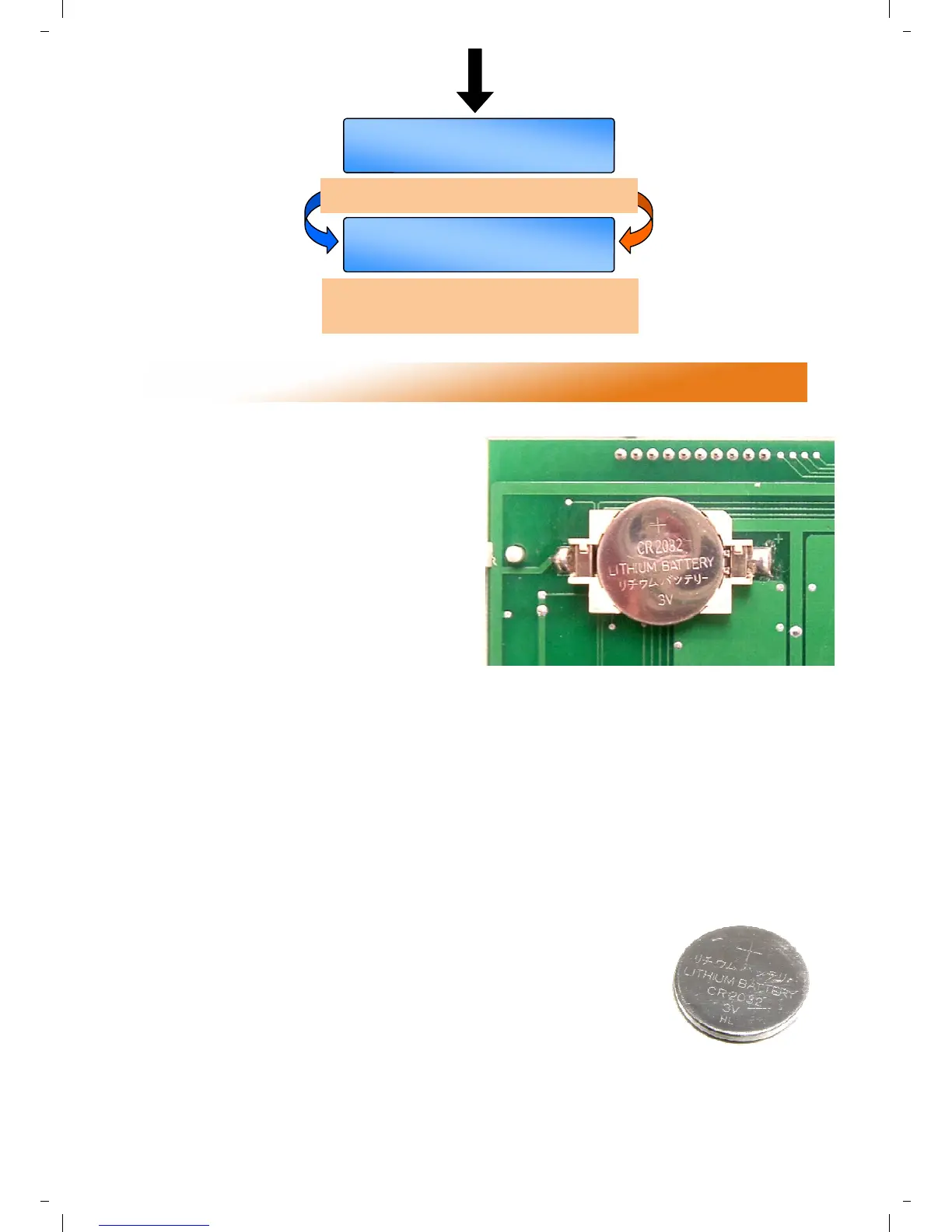
Remove the old battery and fit the new battery
as shown in the photograph.
Please dispose of the battery responsibly.
* Assuming ribbon cable connections have previously
been checked for tightness, and connections are
correctly made to both the pcb’s .
5 Battery Cell information.
5.1.1 Battery specifications
Reference: CR2032
Type: Lithium coin cell
Voltage: 3.0V
Service life: app. 5 years
Width: 0.787”
Thickness: 0.126”
Also known as: DL2032, BR2032, KL2032,
ECR2032, 5004LC, KCR2032, ECR2030,
KECR2032, SB-T15, L14
FROM BOTTOM OF LAST PAGE
OK =yes SET =next
MENU END
Pressing OK returns to main display,
Pressing SETTINGS button returns to first
ENGINEERS SETTING.
Resets all of program and engineering data to
default settings.


 To Next Page