EasyManua.ls Logo

Ambirad SmartCom 3 - Using the SETTINGS Button

Ambirad SmartCom 3
28 pages
Print Icon
To Next Page IconTo Next Page
To Previous Page IconTo Previous Page
Loading...
8
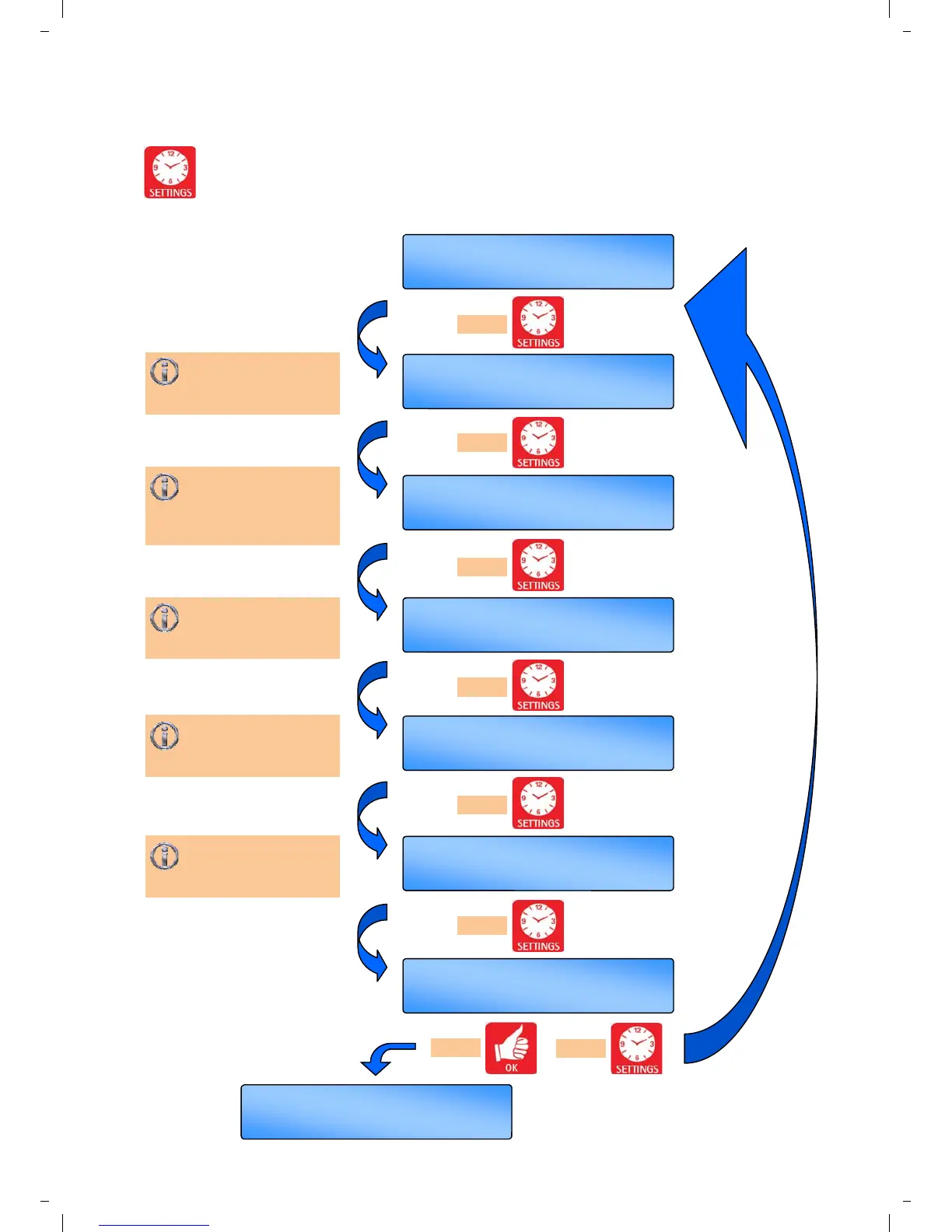
3.3 The SETTINGS button
Pressing the SETTING button will scroll
through the user options in the following
sequence. Repeated pressing of this
button will loop these options round to the start.
Allows the user to set
the hour, minute, day,
month and year.
OK =yes SET =next
SET PROGRAM?
OK =yes SET =next
SET MODE?
OK =yes SET =next
SET TEMPS?
OK =yes SET =next
SET SYSTEM OFF?
OK =yes SET =next
SET CLOCK?
OK =yes SET =redo
Menu End
Th 09 : 30
AUTO ON
Allows the user to set
up to 3 time period per
day. Automatic copy
function available.
Allows the user to set
the operating relevant
mode to the application.
Allows the user to set
day and night
temperatures.
Allows the user to
switch all functions to
an OFF status.
press
press
press
press
press
press
press
or
Th 09 : 30
AUTO ON

Other manuals for Ambirad SmartCom 3