20
4.2 Settings
4 Engineers Settings.
4.1 Introduction
The engineer functions allow you to program
various advanced parameters.
• All control functions may be optionally
password protected by a PIN code.
• Pressing the UNDO button during
programming will cause the setting being
programmed to be changed back to its
original value.
• Pressing the UNDO button twice,
consecutively, at any time while in the
engineer function, will cause the controller to
exit the engineer function and return to
normal operation. Only items which have
been OK’d will be changed.
• If no keypad action takes place for 60
seconds while in the engineer function, the
controller will exit the engineer function and
return to normal operation. Only items which
have been OK’d will be changed.
• The engineer settings cannot be programmed
over the communications link, only on the
specific controller.
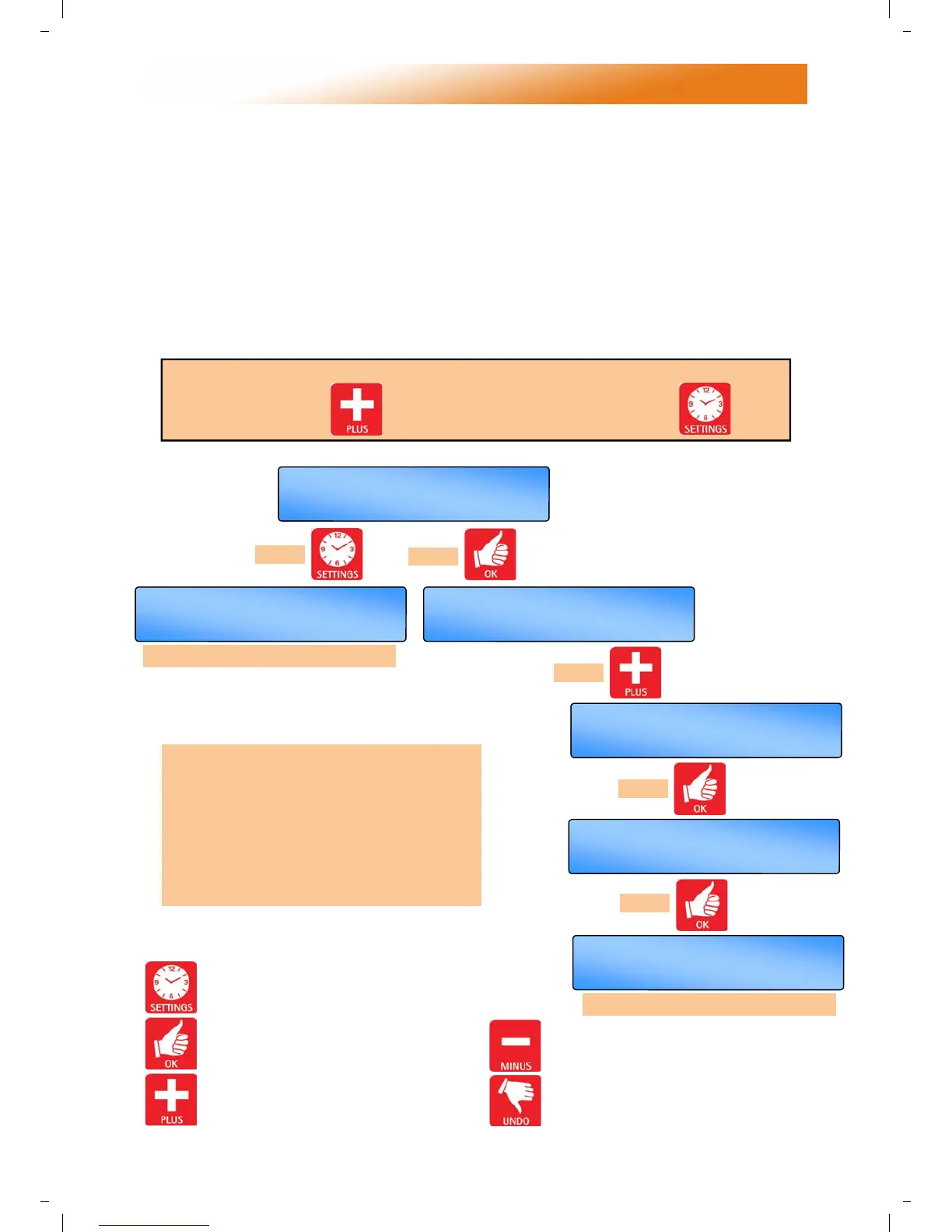
In order to access the engineer functions:
Press and hold in the button and at the same time, press the button.
press
or
press
press
press
follow ‘WARM AIR’ SETTINGS’
…….etc
To aid the on-site engineer, the settings
have been arranged by heater type. The
default setting is radiant. For Warm Air,
simply alter the control type by using this
procedure.
Once the control type has been set, follow
the variables as described in the next
procedure.
Use the - button to toggle between /
decrease the value.
Press the UNDO button to cancel
settings but save any previous changes.
Press the SETTINGS button to advance
to the next display.
Press the OK button to alter a setting or
accept the a new value.
Use the + button to toggle between /
increase the value.
OFF
SET/OK
DF & DF I
+/-/OK
I ANT RAD
CONTROL TYPE
A
I R
M
ARM
+/-/OK
CONTROL TYPE
ON
SET/OK
NTERNAL SENSOR I
A
I R
M
ARM
SET/OK
CONTROL TYPE
+/-/OK
I ANT RAD
CONTROL TYPE


 To Next Page