- 39 -
C141501700.fm
User's manual
GB
functions correspond to the effective
status of the surfaces to be mown
(e.g. addition of a swimming pool,
plants etc.) (see "Programming
mode").
4-Adjust the cutting height (see "Ad-
justing the cutting height").
5-Adjust the sensitivity of the rain sen-
sor (see "Rain sensor adjustment").
6-Position the robot inside the recharg-
ing station.
Important
If the antitheft alarm is enabled, disen-
able it before lifting the robot (see
"Programming mode").
7-After some seconds, on the display
the "LOADING" message appears.
8-The robot starts to mow the lawn in
accordance with the programmed
modalities.
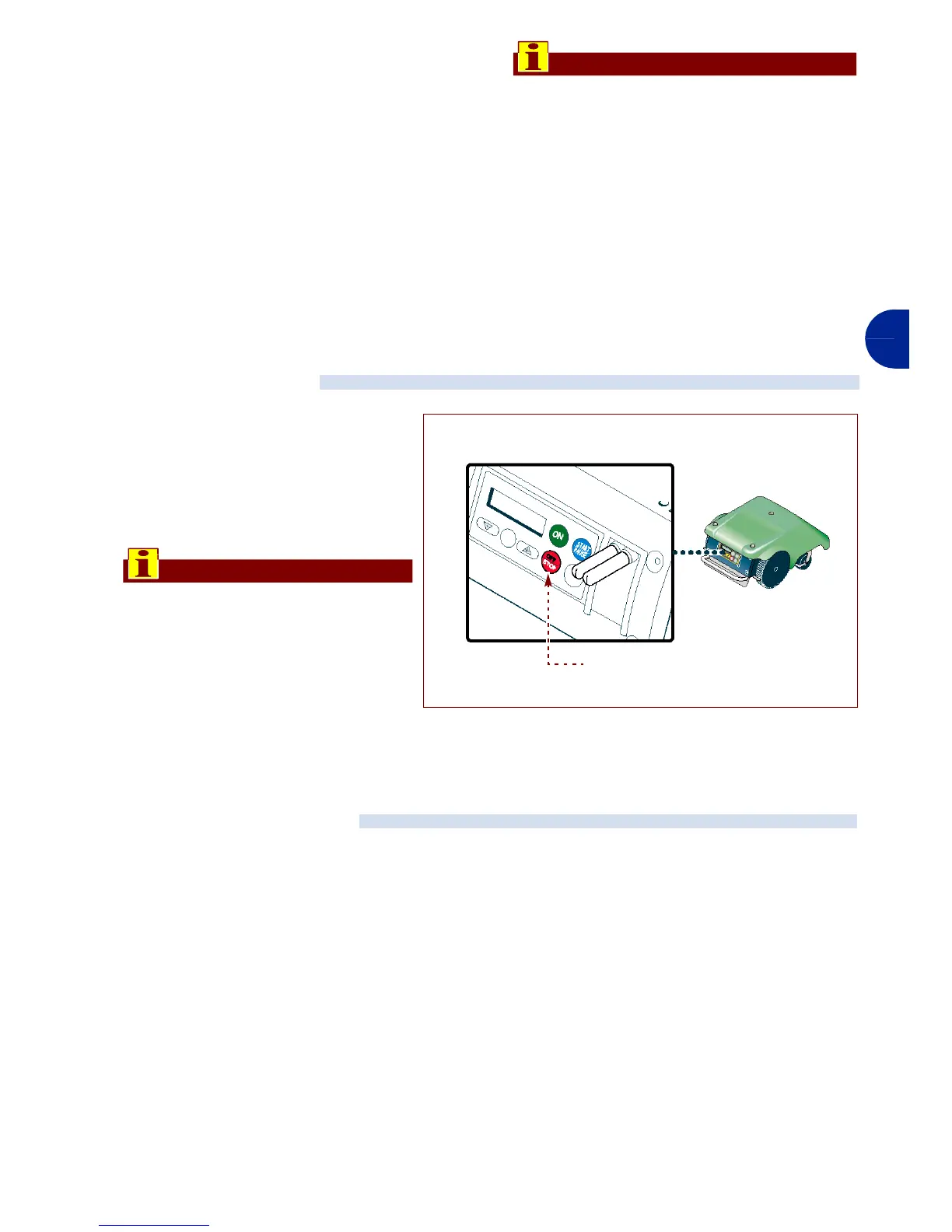
When using the robot, it may nec-
essary to stop it in safety condi-
tions to avoid the ranger to a
sudden start of the blade.
Press the key "Off/Stop" (A) to
stop the robot.
Important
The stop of the robot in safety
conditions is necessary in order
to carry out maintenance and re-
pair interventions (for example:
battery replacement and/or re-
charge, blade replacement,
cleaning operations, etc.).
The robot stops automatically when the
listed conditions occur.
–Run-down batteries
The robot automatically re-enters the re-
charging station.
–Rain
When it rains the robot auotmatically en-
ters the recharging station and func-
tions in accordance with programmed
modalities (see "Programming mode").
– Trimmed lawn
The sensor detects the mown lawn, the
robot automatically re-enters the re-
charging station and again starts to
function in accordance with pro-
grammed modalities (see "Program-
ming mode").
– End of work period
When it has completed its work period,
the robot automatically re-enters the re-
charging station and again starts to
function in accordance with pro-
grammed modalities (see "Program-
ming mode").
ROBOT SAFETY STOP
ROBOT AUTOMATIC STOP
IDM - 41501710200.tif
Key “Off/Stop” (A)


 To Next Page