- 49 -
C141501700.fm
User's manual
GB
1-Stop the robot in safety conditions
(see "Robot safety stop").
Important
If the antitheft alarm is enabled, disen-
able it before lifting the robot (see
"Programming mode").
2-Clean all the outside surfaces of the
robot with a sponge soaked in warm
water and neutral soap and rinse
properly.
3-Do not use solvents or benzine so not
to damage the varnished surfaces
and the plastic components.
4-Do not wash the inside parts of the
robot and do not use water jets in
pressure so not to damage the elec-
tric and the electronic components.
Warning - Caution
In order not to irreversibly damage the
electric and electronic components, do
not plunge the robot, partially or com-
pletely in water, as it is not watertight.
5-Check the lower part of the robot
(cutting blade area and wheels) and
remove the deposits and/or resi-
dues that might obstruct the correct
functioning of the robot.
6-To remove the deposits and/or oth-
er residues from the blade, use a
suitable brush.
Warning - Caution
Use protection gloves to avoid the risk
of cuts on hands.
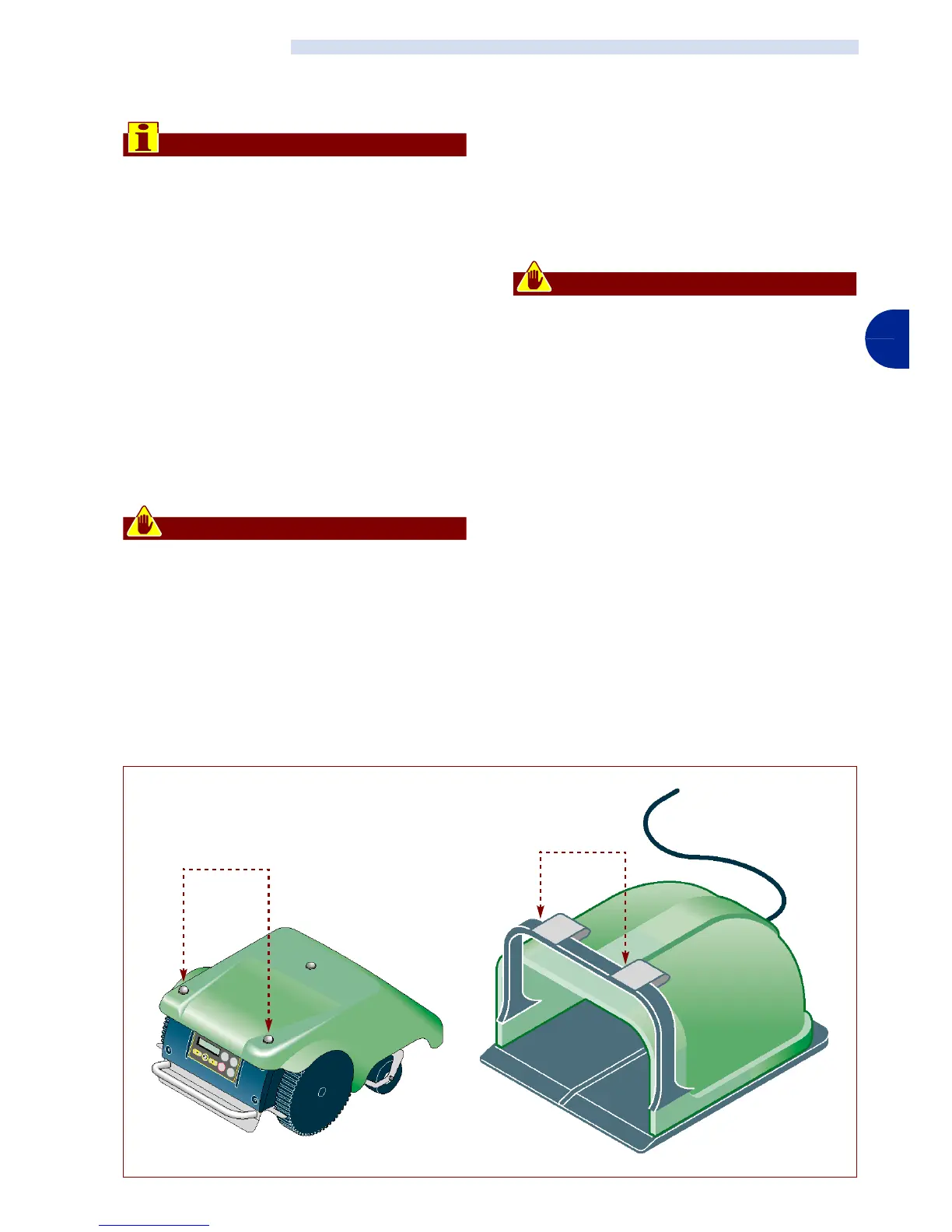
7-Clean the batteries recharging knobs
(A), contact plates (B) and eliminate
any oxidation or residues due to elec-
trical contacts with a dry cloth and, if
necessary, with fine grain abrasive
paper.
8-Clean the interior of the recharging
station from any accumulated resi-
dues.
ROBOT CLEANING
IDM - 41501703100.tif
Recharging knobs (A)
contact plates
(B)


 To Next Page